

A sent quote should not become a forgotten opportunity
A sent quote should not become a forgotten opportunity
The quote went out on Tuesday. By Friday, your colleague thinks you followed up; you think they are waiting for a reply. Meanwhile, the customer asked a question in another thread. The document was sent, but the opportunity has no next move.
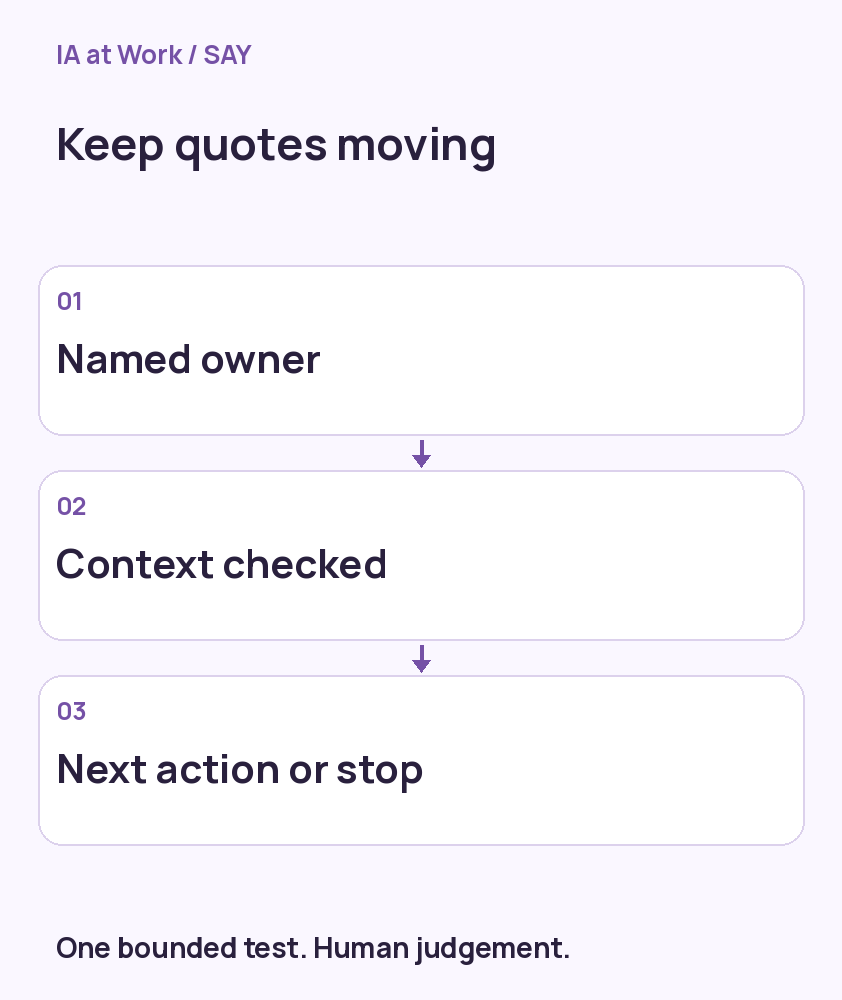
Useful follow-up is not about sending more emails. Every quote needs an owner, a next action and a stopping condition. AI can prepare a context-aware follow-up, but silence is neither rejection nor acceptance.
No time to read? Get the essentials in video. — Audio in French; on-screen text in French.
Give the quote a next step when it is sent
A simple trigger is confirmation that a specific quote version was sent. Follow-up connects it to the existing opportunity, contact and sales owner. The next check depends on the agreed context, not a universal cadence imposed on every prospect.
In this illustrative scenario, the buyer mentions a purchasing meeting. The next action is to confirm the required documents before that meeting, not automatically send a reminder three days later. Without a known date, the salesperson chooses and records an appropriate next check.
Read the file before drafting the message
Before following up, check the latest reply, opportunity status and any newer quote version. A question received yesterday can make this morning’s generic reminder irrelevant. The assistant can summarise the blocker and draft an answer to what was actually asked.
Keep facts separate from assumptions. An email open does not establish confirmed interest, and silence does not prove a pricing objection. The salesperson should see the source behind the summary before choosing the message.
Prevent duplicate follow-ups and know when to stop
Make each follow-up task findable by quote identifier and stage. When the same event arrives twice, look for the existing task before creating another. A network error after sending is not permission to resend blindly: first establish what happened.
A reply, rejection, won deal or request for no further contact should stop the relevant reminders. Read that state again immediately before an external action. Otherwise, a queued workflow may keep acting on a situation that is no longer true.
A useful view shows opportunities with no next action
A busy activity dashboard can hide quotes with no owner or next action. Start with those exceptions. The salesperson can explain a delay, change a due date or close the file. Another reminder is not always the right move.
During the trial, inspect which opportunities became actionable, manual corrections and inappropriate follow-ups. Later, compare response times and commercial outcomes over a declared period without attributing every change to AI. Seasonality, demand mix and staffing also affect results.
SAY Digital can connect a sending event to your sales workflow, prepare drafts and test exceptions with the team. A practical first deliverable is clear: every in-scope quote has an owner and an explicit decision about its next step.
SAY Go Big Online — discuss your first use case
Continue exploring this case
- Business automation: recover from an error without creating duplicates
- Your AI waits for instructions. What if it knew when to act?
References and limitations
These references explain mechanisms and risks. The situations are illustrative; no quantified client benefit is claimed.