



No-code is dead: long live AI!
No-code is dead: long live AI!
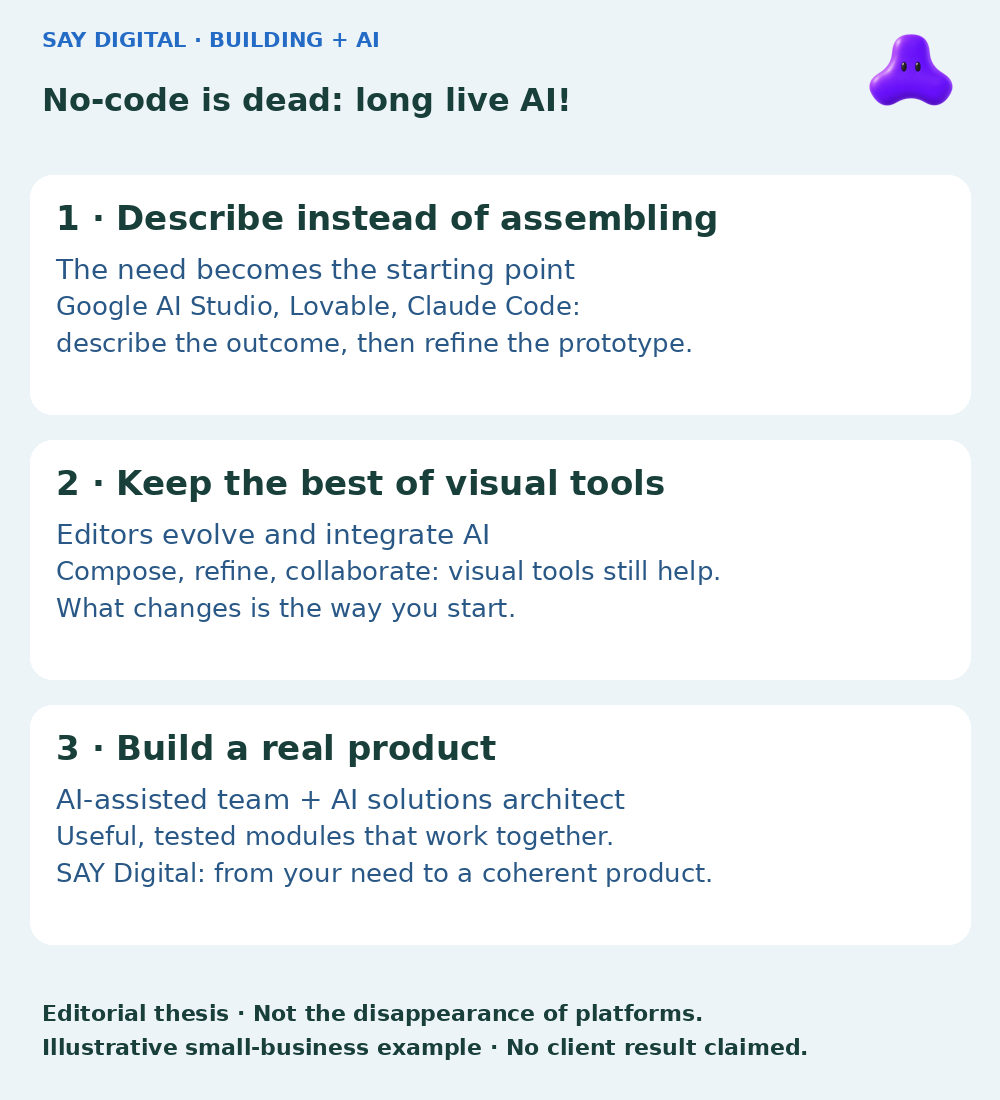
No-code was supposed to spare us from learning to code. Instead, it taught us to assemble its blocks. An editor, its rules, its limits: to build your tool, you first had to learn to think like the platform. AI makes that detour optional. A small business can now describe a need, test a prototype it can hand over, then work with an AI-augmented developer to turn it into a reliable product. That is what dies: no-code as a compulsory starting point. Not design or development.
French synthetic audio and French on-screen text. English subtitles are enabled.
French synthetic audio and French on-screen text. English subtitles are enabled.
Small-business owners: build the missing tool without becoming editor specialists
Consider a small maintenance business. Requests arrive by email, scheduling lives in a spreadsheet and service reports are scattered. Its need is not to master an application builder. It is to know which jobs still need assigning, who is attending and whether the customer has received the report.
It can now start with a specific request: “Build a job tracker with a customer, address, technician, status and attachment. The manager assigns jobs; technicians see only their own.” This is an illustrative scenario, not a client result. But the intended benefit is concrete: less rekeying, less searching through messages and a shared source of information for the team.
In a visual editor, that request would need translating into components, data and workflows. With an AI creation interface, you can get an initial version, inspect it and clarify: “The appointment date is missing” or “The report needs approval before sending.” Conversation shortens the distance between the business process and a usable proposal. It does not decide on the owner’s behalf what should actually happen.
Why spend the first weeks mastering an editor when you can start by showing what is missing? The owner does not need to become a developer: they need to try the workflow, explain what is wrong and decide what matters. That is what the prototype is for. It makes the need testable; it does not automatically make the software fit for operational use. The next step starts with that first trial: who will be able to retrieve the project, run it and transform it?
Google AI Studio, Lovable and Claude Code: three roles, not interchangeable names
Google AI Studio’s Build mode lets you create an application from a prompt, iterate with a preview and retrieve the code. Its role here is to give an idea tangible form quickly and explore how it works. This is Google AI Studio Build, not Google Apps Script, which serves different automation needs.
Lovable provides an environment for building applications through conversation. Its GitHub documentation describes synchronising project code with a repository. That continuity matters: an application born in a conversation can become part of a version-controlled development process. Repository synchronisation alone does not establish that someone can take over the application.
Claude Code is an agentic development tool: it works on code, edits files and can run commands. It is not a visual editor. For a product team, its value lies in contributing to implementation, fixes and tests in a real project. Our article on what a small business can delegate to Claude Code explores that delegation and the decisions to retain.
The right choice follows from the work, not a contest between brands. And if the need is simply to transfer data between existing tools, a new application may be unnecessary: choosing between Google Apps Script and Make for small-business automation is a more relevant question. Describing the result also helps you avoid building something you do not need.
From exportable code to a prototype a developer can actually take over
Retrieving the files is necessary, not sufficient. A repository can contain code that is hard to run, poorly structured data or platform-specific dependencies. Exportable code does not mean a product that can be reused as it stands. The right question is: what can a developer take over, verify and evolve without starting in the dark?
Before the handover, assemble a short package using fictitious or anonymised data:
- Source files and code access: a version-controlled repository or complete export, an identified owner, permissions for the developer and instructions for running the project.
- The data model: customers, jobs, users, the relationships between them and expected access rules.
- Dependencies and environment: external services, versions, intended hosting, configuration variable names and known constraints.
- Usage scenarios: what a manager and technician should be able to do, with an expected result for each important workflow.
- Observed bugs and next priorities: steps to reproduce a problem, tested features, unchecked areas and the next useful module.
No passwords, API keys or customer data belong in this package or the repository. Necessary access is shared separately through a secure channel with the minimum permissions. The package does not certify the prototype’s quality: it lets the team assess it and honestly estimate what can be kept. Sometimes the strongest asset will be a tested module; sometimes it will mainly be the workflows validated with the owner, and the code will need substantial restructuring.
The real counterargument: visual tools remain a powerful way to stay in control
A marketing manager who adjusts pages without calling a developer still has a good reason to use a visual editor. A team that can read and modify its Bubble workflows also has a useful capability. AI does not make that autonomy obsolete; it can extend it.
Bubble explicitly defends this position in “Why JavaScript Is the Wrong Language for Vibe Coding”. Co-founder Josh Haas argues that generated code remains difficult to control for someone who cannot understand it, and advocates a visual representation closer to business concepts. He sums up the problem as: “You’re reading a summary of your app, not the app itself.” This is the viewpoint of a vendor selling its platform, not an independent conclusion. Yet the objection deserves serious attention: being able to request a change is not always the same as being able to understand it.
Webflow illustrates another response: its AI site builder combines site generation with continued work in its visual environment. The platform presents this as a way to create a structure and then develop it further. Again, this is the supplier’s proposition. But it shows that the market is not simply a choice between blocks and conversation: the two are being combined.
Visual tools therefore retain their place when they make everyday changes easier and the team knows how to use them. What loses its place is the compulsory learning stage. For a business starting with a new need, learning an entire platform before seeing its tool work is no longer an obvious requirement.
The new value: an AI-assisted product team, not just a generator
An agency whose main value is mastering an editor needs to rethink its offer. That skill can remain useful; it no longer justifies an entire project on its own. AI does not kill product teams. It forces them to demonstrate their value: turning a prototype into a coherent tool, module by module. At SAY Digital, that is the role of an AI-assisted product team led by an AI solutions architect. It can help shape the project from the outset or take over a prototype to build what comes next.
Return to our maintenance business. The owner has tested job assignment and report approval. An AI-augmented developer then takes over the project: inspecting the code, checking what works and deciding what is worth keeping. The architect clarifies responsibilities: who assigns a job? Which tool holds the correct customer address? What does “complete” mean? Those answers guide the architecture, data model and access rules, not just the next prompt to give the AI.
The team also works on UX — can a technician complete a job on a phone? — and UI: readable statuses, understandable errors and unambiguous actions. It checks security on the server, not just hidden buttons, and prepares for scale according to expected usage. A smooth prototype with two accounts proves neither that customer data is isolated nor that the service behaves correctly under simultaneous requests.
Development then proceeds through usable modules: recording and assigning a request; producing and approving a report; connecting invoicing if it genuinely serves the process. Keep a useful module after testing it; restructure or replace what undermines the whole. Adding five screens is not a delivery if nobody can finish a job.
Acceptance becomes observable. An assigned job appears for the right technician, not another. An incomplete report does not reach the customer. A connection failure leaves an action to retry rather than incorrectly marking the job complete. The team checks these behaviours through test scenarios, including the business’s exceptions.
Quality also prepares the application for what comes next: version-controlled code, documented technical decisions, backups with verified restoration, a procedure for reverting to a previous version and explicit maintenance arrangements. These are not obstacles added after creation. They are what makes it possible to change a module quickly without destabilising the others, and to hand it over to an identified team.
That is what the business should buy: not a quantity of code or an attractive demonstration, but controlled progress towards useful, tested and maintainable modules. Scope, integrations and acceptance criteria determine the work; no tool justifies a universal promise about delivery time or results.
Do not train your business to assemble blocks: give it the means to build
No-code opened a door. AI lets you start with the need, without first learning the editor. Visual platforms remain a useful choice for some tasks; they are no longer the mandatory entry ticket. For a nontechnical small business, the first goal can be simpler: make the need visible in a prototype that someone else can take over.
The next step is not “export, therefore ship”. It is choosing a team that can retain what is worth keeping, rethink the rest and deliver a coherent product. Architecture, UX, UI, security and scaling: this is where development must prove its value. Less tool learning for the owner; more product responsibility for the people building.
Have a process to simplify, an idea for a business tool or a prototype already? Discuss your AI and automation needs with us to examine what can be reused, choose the first useful module and define how to build, verify and evolve it.
For background, read our earlier explainer on AI and the future of no-code (in French).