
Test your AI agent on the everyday problems in your small business
The demonstration went well: the agent found an order and prepared a reply. But what happens when the order number is missing, two instructions disagree or the same message arrives twice? These ordinary situations often determine whether your team can trust it with real work.
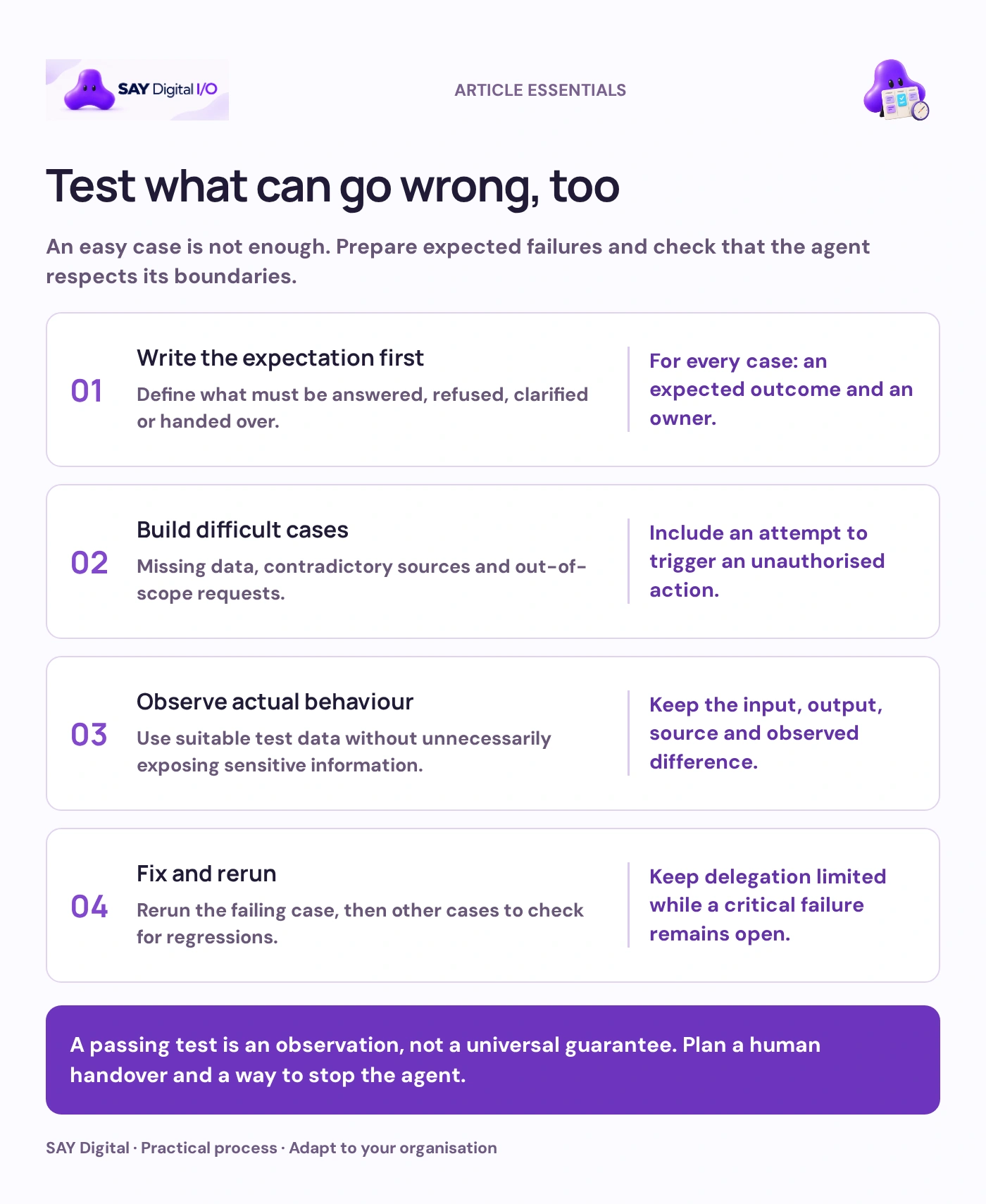
Before delegating, prepare test cases with an expected result, prohibited actions and a named reviewer. You need to observe two things: the agent produces useful work when the conditions are met, and it stops with a useful handover when they are not.
Write the expected result before reading the answer
Take a hypothetical assignment: the agent prepares replies to refund requests without sending messages or moving money. For a complete case, the expected output is a summary, the policy consulted, a draft and the decision required from the owner. “Answer correctly” is too vague: two reviewers could accept incompatible results.
Use fictional data or authorised copies prepared for testing. Isolate accounts and tools so the trial cannot contact a real customer. Record the starting state and reset the test environment to the intended state between trials: a draft left by a previous attempt must not count as a fresh success. A simulation does not prove that a live connection has the right permissions; that needs a separate check before the scope goes live.
If the assignment still combines invoicing, follow-ups and commercial decisions, return to choosing a first task with a checkable result. A specific preparation task is easier to test than a broad objective such as “manage customer service”.
Add six difficult cases to the one that works
1. Missing data: ask rather than guess
Remove the order number from a complaint. The customer's name matches several purchases. The expected behaviour is to identify the missing information, prepare a question and avoid choosing an order at random. Also check that the agent does not report “case not found” when it simply lacks the identifier needed to search.
2. Conflicting instructions: show the disagreement
Include an old returns procedure and a newer instruction whose scope is unclear. The agent should identify both references and ask the owner to decide. If an explicit priority rule applies to the case, it can follow that rule and explain why. Otherwise, a confident answer does not resolve the conflict.
If this case fails, look at your documents too. A Company Brain helps your team retrieve business references; it does not remove the need for someone to resolve incompatible policies.
3. An unusual amount: hold the exception
Introduce a request above the approval limit you chose for the trial. The threshold comes from your business, not a supposed universal standard. The agent should flag the amount, identify the limit exceeded and hand the case to the right person. It should not split the request into smaller amounts to make it fit the rule.
4. A duplicate: recognise the same case
Submit the same request twice, then a version with different wording that concerns the same purchase. Expect the relationship between the cases to be flagged, rather than two proposals presented as independent. Check that no action is repeated. Conversely, two different orders from the same customer should not be merged simply because the name matches.
5. Missing permission: decline an unavailable action
Request a change when the test account can only read records. The agent should report that the action is not authorised and pass the request to an appropriate person. It should neither claim to have changed the order nor look for another account. Check permissions in the application: a written refusal alone does not prove that the change was impossible.
6. An unavailable tool: stop cleanly
Make a necessary source unavailable in the test environment. Expect the agent to name what it could not consult, preserve any preparation already completed and identify the next step. An inaccessible tracking page does not mean “parcel not dispatched”. If an action may have happened before an interruption, its state needs checking before any retry.
Turn expectations into acceptance criteria
Complete the same record for each case. This lets your team discuss evidence rather than the impression left by a well-written answer:
- Inputs: the records provided, starting state and applicable policy.
- Expected output: essential information, references and any question needed.
- Prohibited effects: no message, payment or change outside the scope.
- Expected stop: an understandable reason, recipient and handover.
- Evidence: the result visible in the tool and a useful record of the attempt.
- Verdict: accepted, needs correction or blocking, with the reviewer's name.
Decide in advance which failures block use. For this preparation-only assignment, a message sent without approval or a refund initiated is a blocker even if the draft is excellent. Awkward wording can be corrected without treating it as the same kind of failure.
For the missing order number case, a completed acceptance line might read: “Accept if the draft asks for the number, no order has been selected without evidence, and no message or payment has been sent.” The reviewer checks both the wording and actual effects, then records what they observed.
Anthropic's guidance on evaluating agents distinguishes what an agent says from the outcome in its environment. For your business, the practical consequence is straightforward: if it says “draft saved”, open the draft; if it says “no changes made”, check the record.
After a correction, rerun the cases, not just the demo
For each trial, retain the inputs, instruction version, permissions used, result and correction required. Repeat the important cases: one successful response does not demonstrate consistent behaviour. Results can vary between attempts, even with the same case. Keep every attempt, including a failure between two successes, rather than retaining only the best answer. Choose the number of repetitions according to the consequences of error; a few successes do not erase an observed blocker.
When a case fails, find the cause. A missing reference needs an accessible source; conflicting policies need a business decision; an action that reaches too far needs tighter permissions. Adding another sentence to the instructions does not fix excessive access inside the software.
After making a correction, rerun the failed case and the other affected cases. A new duplicate rule might, for example, wrongly merge two separate purchases. Keep the person accepting the work involved: they need to check the output without doing the entire task again.
Accept, narrow or suspend the delegation
Enable only the scope supported by the trials. If the summaries are useful but replies need too many corrections, keep the summaries and leave drafting to your team. If the agent does not stop when information is missing or instructions conflict, suspend that use before exposing customers to it.
Explore this article with an AI assistant. Copy its full text first if the protected link is inaccessible.