WordPress for editorial teams: organising content and growing your website
WordPress is a content management system for creating and managing pages, posts and media. Your team can prepare drafts, schedule publishing and assign access according to responsibilities. Themes shape the presentation, while plugins add functionality. This flexibility supports a brand website, publication or catalogue without turning every editorial update into a development request. The practical value depends on how clearly your content and workflows are structured.
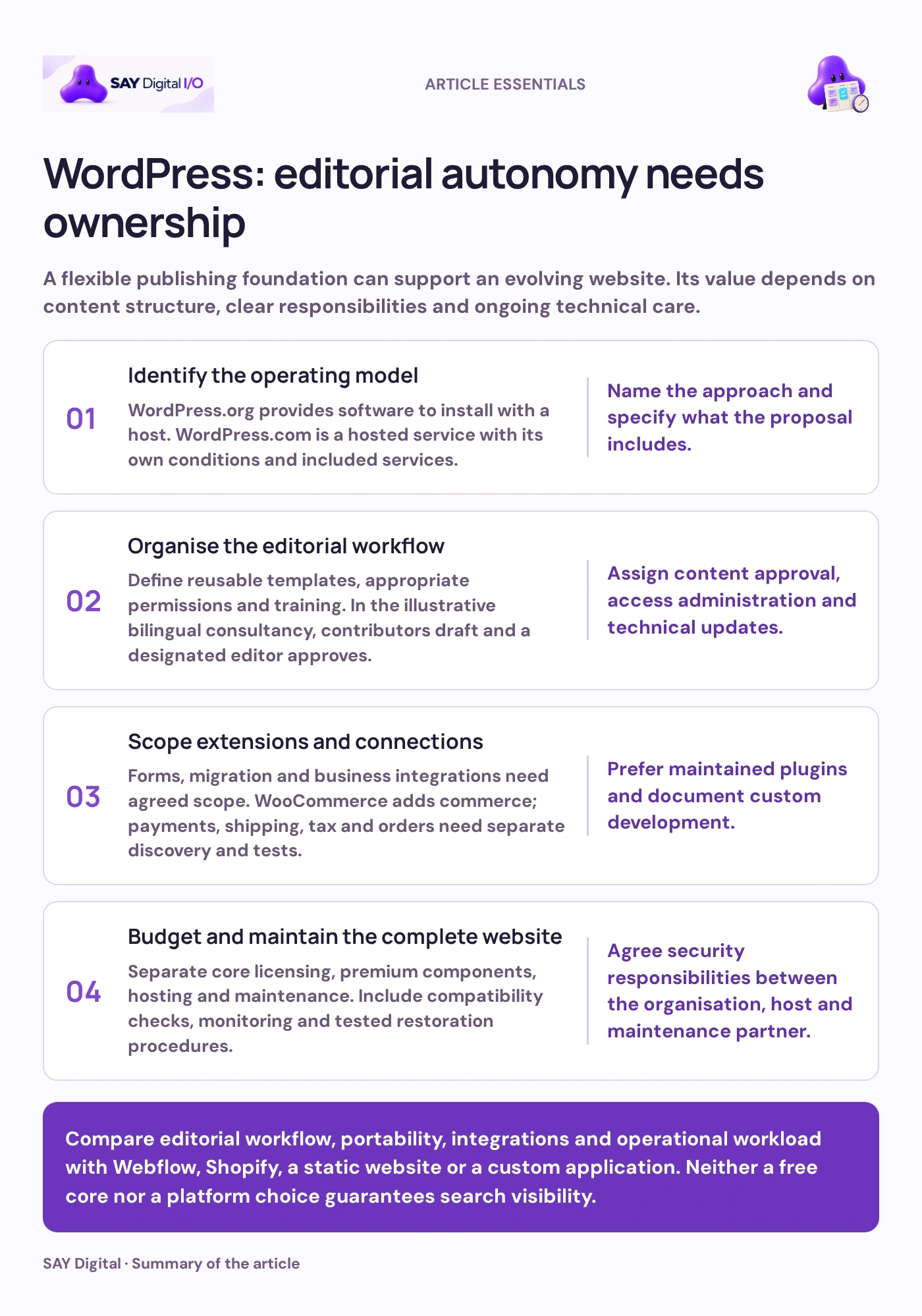
Distinguish WordPress.org, which distributes open-source software you can install with a hosting provider, from WordPress.com, a hosted service with its own plans and conditions. Sharing a name does not make their services, customisation options or responsibilities identical. Your proposal should identify which approach is being offered and which services are included, rather than simply saying that the site uses WordPress.
Short on time? Watch the article essentials.
French audio · English captions.
Who should consider it?
WordPress is worth considering if your brand publishes regularly, involves several contributors or expects its website to evolve over time. It can also suit organisations that want flexibility in choosing suppliers and implementing custom features. That autonomy needs ownership: decide who approves content, administers access and manages updates before the site becomes part of your daily operations.
What SAY Digital can build
SAY Digital can help define your scope, information architecture, page designs and implementation of your visual identity. A project can include reusable editorial templates, forms, content migration and training for your team. Connections to business systems should be assessed against available interfaces, operational constraints and your data protection requirements. Each integration needs an agreed purpose and a realistic maintenance owner.
For online sales, WooCommerce can extend WordPress. It is not native commerce functionality in the WordPress core: it is a plugin, potentially supported by additional components. Payments, shipping, tax settings and order handling require their own discovery and testing. Installing a plugin does not settle those business decisions or establish that every required workflow is supported.
When to choose it, and when to avoid it
Choose WordPress when you need a flexible publishing foundation and can support ongoing technical care. Prefer a restrained selection of maintained plugins and documented custom development. Avoid choosing it solely because the core software is free. An expanding collection of extensions can make performance, security and future changes harder to manage. A highly specialised business application may warrant a different architecture altogether.
An illustrative example
Imagine your consultancy needs a French and English website presenting its services. A possible project could combine service pages, a resource library, team biographies and a contact form. Contributors could draft articles while a designated editor approves publication. This is an illustrative workflow, not a client result. Multilingual functionality, consent handling and integrations would still need to be selected, configured and tested against your requirements.
Open the full-size infographic ↗
Costs: separate the main categories
Licensing: WordPress.org core software is available under the GPL and can be used commercially without core licensing fees. Premium themes, plugins and external services may still carry charges. WordPress.com plans are a separate service purchase, not the same thing as licensing the open-source core.
Hosting: allow for the hosting environment, domain and associated services according to traffic, backup needs and availability requirements. Confirm what your provider actually includes rather than assuming every operational task is covered.
Maintenance: budget for updates, compatibility checks, monitoring and tested restoration procedures. Initial design and development, as well as future functional changes, are separate work. No universal price can replace a written scope and a clear allocation of responsibilities.
Which alternatives should you compare?
Consider Webflow for a design-led website with hosted operations. Compare Shopify when selling products is central to the project. A static website or a custom application may suit a different scope. Assess portability, integrations, editorial workflows and operational workload alongside presentation. The right comparison starts with your requirements rather than a preference for a particular platform.
FAQ
Does WordPress guarantee search visibility?
No. Technical settings can help, but useful content, information structure and ongoing review remain important.
Can your team manage content independently?
Yes, with suitable templates, appropriate permissions and training. Some changes will still require technical support.
Who handles security?
Responsibilities should be explicitly shared between your organisation, hosting provider and maintenance partner.
Define your next step
Speak with a SAY Digital expert to review your publishing needs, constraints and maintenance capacity before committing to a platform.