WooCommerce for businesses: connecting your WordPress site to online sales
WooCommerce is an e-commerce plugin for WordPress. It provides a foundation for a product catalog, product pages, inventory, a cart and checkout. Payment methods and shipping rules are configured around your business and the services you select. As an open-source platform, it allows substantial customization. That flexibility does not remove the need for technical decisions, suitable hosting or ongoing care. A working installation is only the beginning of operating a store.
Short on time? Watch the article essentials.
French audio · English captions.
Who is it suitable for?
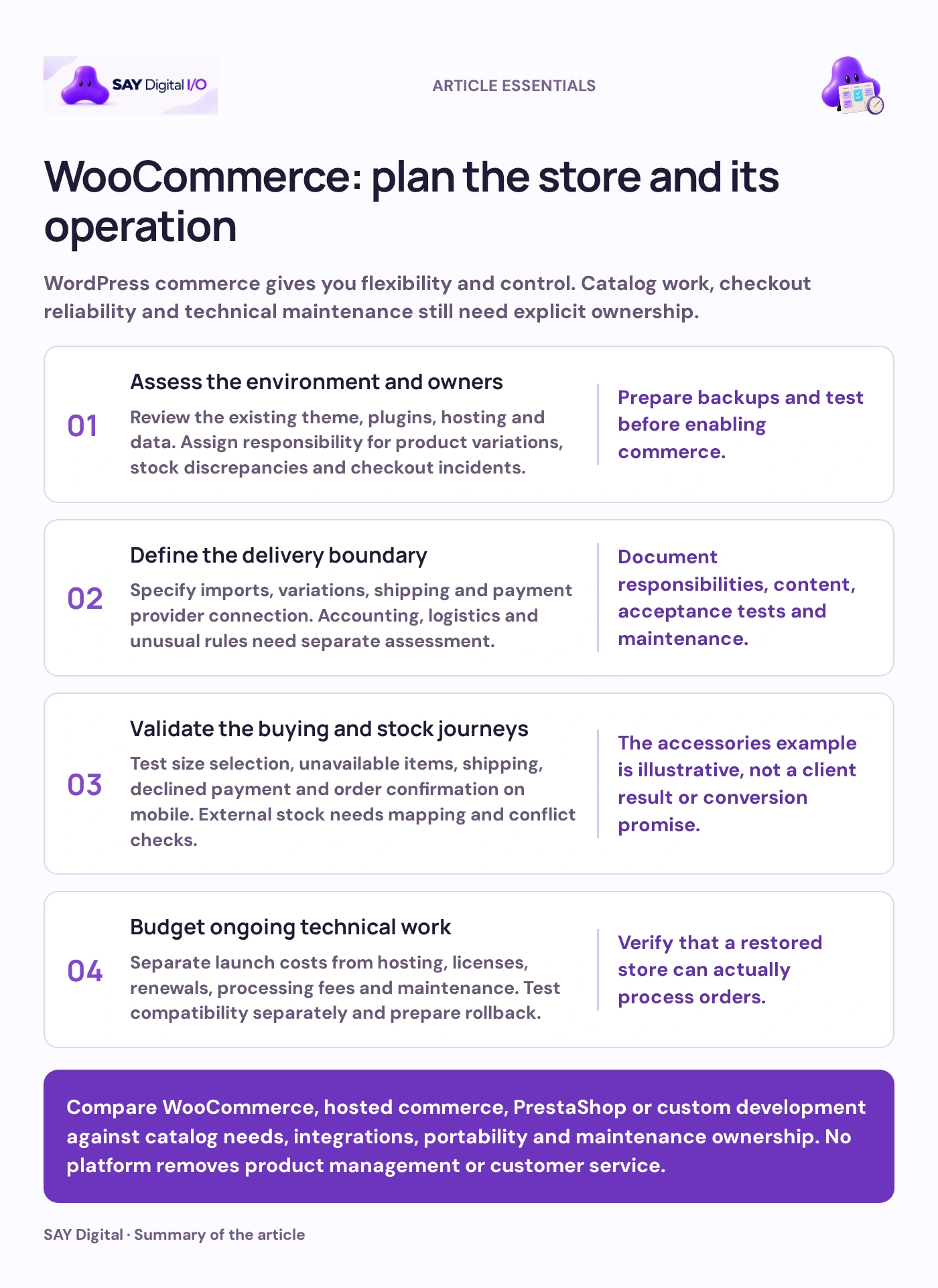
WooCommerce suits businesses that want to combine WordPress content with online sales, control their environment and customize customer journeys. If your company already uses WordPress, continuity may be useful, but the existing setup still needs assessment. Product variations, order flows, inventory processes and available expertise matter more than a feature checklist. Establish who will update product information, resolve stock discrepancies and respond when checkout or an integration stops working.
What SAY Digital can deliver
SAY Digital can help define your catalog, design store pages, integrate WooCommerce with WordPress and configure checkout. Depending on the agreed scope, deliverables may include product imports, variations, inventory settings, shipping configuration and a payment provider connection. Accounting or logistics integrations require their own assessment. Your proposal should identify responsibilities, required content, acceptance tests and maintenance arrangements. Custom work should be specified rather than assumed to come with the core plugin.
When to choose it, and when to avoid it
Choose WooCommerce when WordPress flexibility and control justify taking responsibility for the technical environment. Check theme and extension compatibility before adding plugins. Avoid this approach if you need operations fully handled for you but have no identified maintenance partner. Highly unusual commercial rules or numerous external synchronizations may also favor another platform. Compare total ownership costs, operational risks and available support rather than choosing solely because the core software has no license charge.
An illustrative example
Imagine an accessories brand offering several sizes. Your team prepares product references, images, variations and available quantities. The store is configured, then tested on mobile: selecting a size, encountering an unavailable item, calculating shipping, handling a declined payment and confirming an order. This is a fictional illustration, not a customer case study or a conversion promise. Connecting an external inventory system would require additional mapping, synchronization rules and checks for conflicting updates.
Open the full-size infographic ↗
Costs: open source does not mean a free project
The official pricing page describes the WooCommerce core as free to download and use. Your project budget still needs discovery, design, implementation, content preparation and testing. Some extensions and themes require paid licenses, potentially with renewals. Hosting, a domain, backups and operational services also need funding. Separate launch expenses from recurring commitments, and check which features depend on subscriptions before approving a solution.
Your payment provider charges processing fees according to its contract and your transactions. Maintenance includes updates to WordPress, WooCommerce, the theme and plugins, plus compatibility checks. Test changes in a separate environment before production and prepare a rollback procedure. Performance, security and reliable restoration do not follow automatically from installing the plugin. Identify who monitors failures, maintains backups and verifies that a restored store can actually process orders.
Alternatives worth comparing
Shopify or another hosted service may reduce some operational tasks while introducing different constraints and fees. PrestaShop may suit an organization focused primarily on commerce. A custom application needs a clear business justification and sustainable development resources. Compare catalog requirements, integrations, portability and ownership of maintenance tasks. No platform removes the need to manage products, customer service and the commercial rules behind the store.
FAQ
Does WooCommerce replace WordPress?
No. It runs as a WordPress plugin, so both must be administered and maintained together.
Is every feature included?
No. Subscriptions, advanced logistics or integrations may need extensions or development. Verify requirements and licensing before committing.
Can you keep an existing website?
Sometimes, after reviewing its theme, plugins, hosting and data. Backups and testing are still necessary before enabling commerce.
Discuss your store
To define a realistic scope, budget and set of dependencies, talk with a SAY Digital expert.