Choosing Shopify for your brand: scoping a store launch or redesign
Shopify provides a foundation for building and operating an online store: presenting your catalogue, organising collections and supporting purchases. You get a hosted commerce platform and an administration environment. Your storefront can use a theme, custom Liquid development or a headless architecture. These approaches address different requirements; a fully bespoke storefront is not a prerequisite for every brand.
Short on time? Watch the article essentials.
French audio · English captions.
Who is it suitable for?
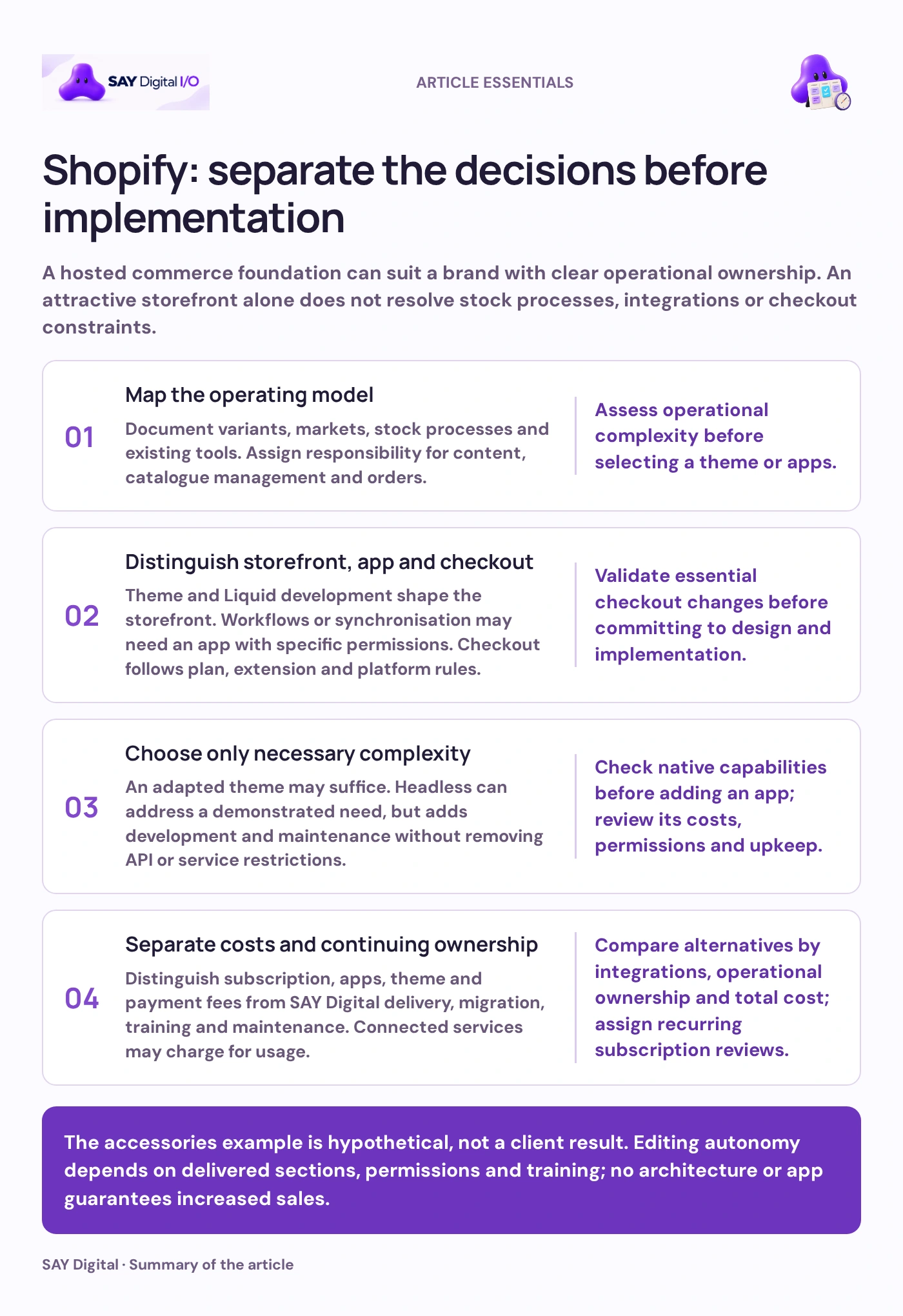
Shopify can suit brands that sell products and have a team responsible for content, catalogue management and orders. It can support either a launch or a redesign. Before choosing it, document your variants, markets, stock processes and existing tools. A straightforward catalogue with complex operations can require substantially more work than its visible pages suggest. Assess the operating model, not just the appearance of the store.
What SAY Digital can deliver
SAY Digital can help scope your requirements, design the customer journey, adapt a theme and develop Liquid sections for product or collection pages. Metafields and metaobjects can structure information specific to your brand. Depending on the agreed scope, work can also include integrations, content migration, acceptance testing and training for your team.
Theme customisation changes the customer-facing storefront; it is not an administration app. A business workflow, system synchronisation or internal interface may require an application with specific permissions. Checkout is another distinct surface. Its customisation options depend on your plan, available extensions and Shopify’s rules. Do not assume that every plan allows the same changes, or that storefront code can freely alter checkout behaviour.
When to choose Shopify, and when to avoid it
Consider Shopify when you value a managed commerce foundation, accessible editing and an integration ecosystem, while accepting platform constraints. Validate essential capabilities before selecting a theme or installing apps. Reconsider the fit if your process requires unsupported checkout changes, complete infrastructure control or business operations that the proposed integrations cannot handle. Resolve these issues before committing to design and implementation.
A headless approach may address a particular storefront requirement, but adds development and maintenance responsibilities. It does not remove API conditions or restrictions in connected services. Compare its benefits with those of an adapted theme instead of treating headless as a mandatory upgrade. Your architecture should follow a demonstrated need, not a preference for additional complexity.
An illustrative example
Imagine your accessories brand needs to display different materials and care instructions. An initial store could use a theme, clear collections and metafields for product guidance. If you later need stock synchronisation with a business system, assess that integration separately. This is a hypothetical implementation path, not a client case study or a promise of increased sales.
Open the full-size infographic ↗
Which costs should you separate?
Budget separately for the Shopify subscription, any paid applications and a theme purchase where relevant. Include payment processing fees and any additional transaction fees that apply to your configuration. Check official terms for your country, provider and plan rather than assuming one fee structure covers every store. No unverified price estimate should drive your platform decision.
Connected services may also charge for consumption, such as volumes, messages, requests or other contractual units. SAY Digital’s services are separate from these platform expenses: discovery, design, development, migration, training and maintenance depend on the agreed scope. Compare recurring expenditure with initial implementation costs, and allow for testing and changes after launch. Assign ownership for reviewing app subscriptions and usage.
Which alternatives should you compare?
WooCommerce may be relevant if you favour WordPress and accept more technical responsibility. PrestaShop is another commerce-focused option to assess alongside your ability to operate and maintain it. Bespoke development can serve unusually specific requirements, with additional design and maintenance work. Compare operational ownership, integrations and total cost instead of choosing from an isolated feature checklist.
FAQ
Do you always need an app?
No. Check native and theme capabilities first. Each app should solve an identified requirement, with its costs, permissions and maintenance implications understood.
Can you change everything in checkout?
No. Validate each requested change against the relevant plan, extensions and current platform rules before including it in the delivery scope.
Will your team be able to edit pages?
The editor supports everyday updates. Your actual autonomy depends on the sections delivered, user permissions and the training included in the project.
Discuss your store
Share your catalogue, constraints and existing tools with SAY Digital to define a realistic scope. Talk to an expert.