PrestaShop for merchants: assessing how to customise your store
PrestaShop is an open-source ecommerce platform for displaying a catalogue, selling online and administering your store. You can organise physical products, virtual products and packs, manage combinations, and configure stock, shipping and pricing information. Product pages also provide settings for URLs and metadata. These capabilities are a starting point rather than a complete operating model: your data quality, internal processes and integrations determine how effectively the store works.
Short on time? Watch the article essentials.
French audio · English captions.
Who is it suitable for?
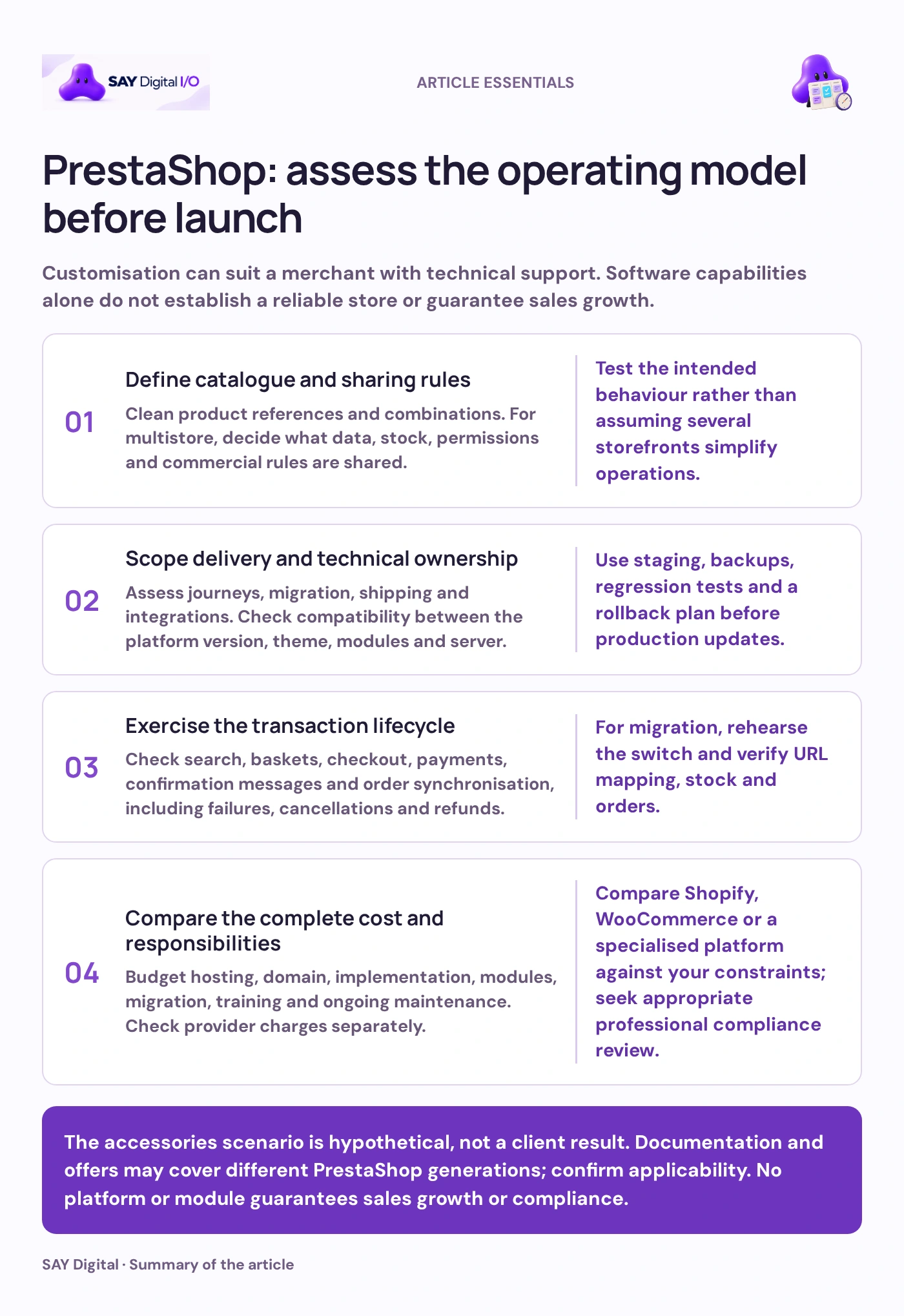
PrestaShop suits merchants who need control over their shopping experience and have access to technical support. It can accommodate product variants, multiple languages and connections to business systems. Multistore requires separate planning: define which data, stock, permissions and commercial rules should be shared, then test the intended behaviour. Running several storefronts does not automatically make several businesses straightforward to manage.
What SAY Digital can deliver
SAY Digital can help audit your existing store, define requirements, design customer journeys and implement your visual identity. Depending on the agreed scope, work can include catalogue migration, shipping configuration, module integration and connections to your business tools. Recommendations follow an assessment of your situation; choosing the platform does not guarantee sales growth or any particular commercial result.
Before launch, SAY Digital can prepare acceptance testing for search, baskets, checkout, payments, confirmation messages and order synchronisation. Tests should cover failures, cancellations and refunds for the payment methods selected. Training and operating documentation can help your team understand routine tasks and escalation procedures.
When to choose it, and when to avoid it
Choose PrestaShop when customisation matters and you can fund ongoing technical ownership. Do not choose it solely because the software download is free. A simple offer with limited technical resources and an urgent launch may fit a more standardised hosted service better. Highly unusual processes also require assessment before committing to extensive custom development or a large collection of modules.
Check compatibility across your PrestaShop version, theme, modules and server environment. The product documentation cited below covers PrestaShop 8, while the consulted offers page describes Classic on a different generation. Do not assume every screen or requirement carries across unchanged. Use staging, backups, regression tests and a rollback plan before applying production updates.
An illustrative example
Suppose you sell accessories in several sizes and colours and want to add another storefront. A sensible first phase could clean product references, organise combinations and decide how stock is shared. Next come a mobile journey prototype, delivery configuration and checkout tests. This is a hypothetical planning example, not a client case study, delivery commitment or claim about achieved results.
Open the full-size infographic ↗
Costs: open source does not mean a free project
The Classic download is advertised as free, but hosting and a domain name are excluded. Your budget should also account for design, implementation, paid themes or modules where needed, service subscriptions, migration and training. Include maintenance, backups, monitoring, security fixes and testing after upgrades. Check payment provider charges separately. A hosted offer changes which responsibilities are included; it does not remove every implementation or operating expense. Request a scope-based estimate rather than treating a software price as the total project budget.
Which alternatives should you compare?
Consider Shopify for a more managed operating model, WooCommerce if your organisation already relies on WordPress, or a specialised platform for demanding business requirements. Compare practical constraints rather than labels: data exports, integrations, checkout flexibility, technical ownership and total operating cost. No platform is universally the best choice for every merchant.
FAQ
Can you offer several payment methods?
Yes, subject to suitable modules and provider contracts. Check supported countries, currencies, authentication, refunds and version compatibility, then test the complete transaction lifecycle before launch.
Does the platform make your store compliant automatically?
No. Privacy, consent, tax, invoicing and consumer information requirements depend on your activity and target markets. Modules can support configuration, but appropriate professional review remains necessary.
Can you migrate an existing store?
Yes, after reviewing its data, modules and customisations. Plan URL mapping, stock and order checks, backups and a rehearsal of the switch. Confirm what can be transferred before agreeing the migration scope.
Discuss your store with SAY Digital
Need to clarify implementation, dependencies or ongoing maintenance? Talk to a SAY Digital expert to identify a practical next step for your situation.