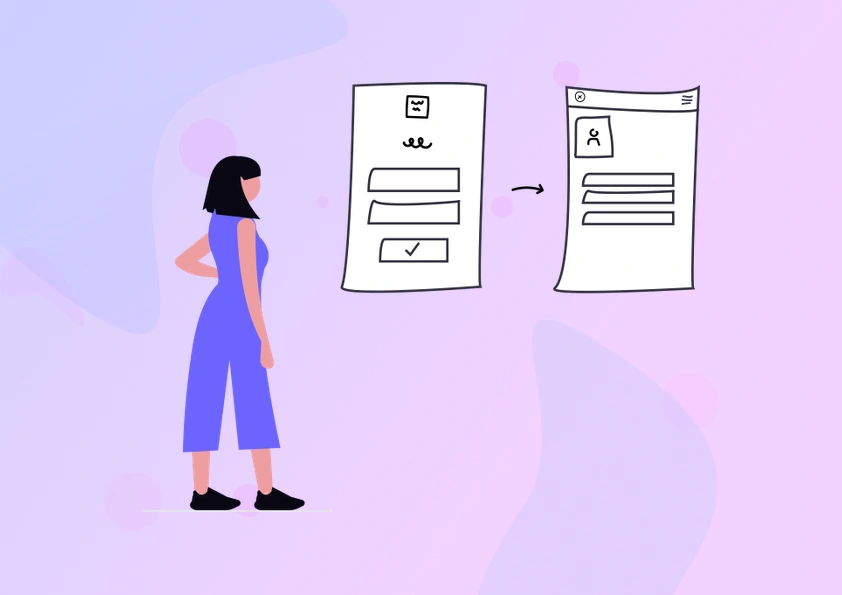
Prepare a Design Sprint to test a decision, not create a week of meetings
You have several possible solutions and want to start development. What you lack is an answer: would someone facing the problem understand your proposal and know how to use it in a credible situation? A Design Sprint prepares a prototype and puts it in front of real users before you commit to building the product.
Preparation makes that question testable. You will define the problem, assemble a team able to decide and prototype, recruit participants, choose a schedule and write a decision rule. Your launch brief will specify the workflow to test, the observations you need and the possible decisions.
Use the blank preparation kit, the adaptable schedule and the decision sheet. The CSV decision log connects observations to the next steps you choose.
Our running example: Nora wants to test a follow-up approved by the tradesperson
An entirely fictional case, with no real customer results. Nora is developing DevisClair, a quote-tracking service for small plumbing businesses. For this exercise, suppose her prior research has documented a follow-up difficulty. That assumption illustrates sprint preparation; it is not a market finding.
She could build a dashboard, a mobile app and an automatic sending engine. Instead, she chooses a smaller question: “Can an owner who handles their own quotes find one needing follow-up, check the proposed message and choose to approve or edit it without thinking it has already been sent?” One workflow concentrates a usability risk and a trust risk.
1. Check that a sprint is the right tool for your uncertainty
The reference format described by GV is a five-day process: map and target the problem on Monday, sketch solutions on Tuesday, decide and storyboard on Wednesday, prototype on Thursday and test on Friday. The Sprint authors’ website also places prototyping and testing with real customers at the heart of the method.
This framework suits an important decision that you can explore through a realistic façade. It replaces neither exploration of an unknown problem nor technical feasibility research. If your main uncertainty concerns the reliability of a connection to business software, first prepare a focused technical check. If you cannot say who experiences which problem, return to customer interviews.
To check readiness, finish this sentence: “We are choosing between [options] because we do not know [unknown]; observing [behaviour] would help us decide [concrete commitment].” If the ending is merely “understand better”, specify what you would stop, change or fund in light of the test.
Your Business Model Canvas helps locate the hypothesis at stake. Nora’s sprint examines understanding of the workflow, not the entire viability of her subscription. Understanding a screen will prove neither an acceptable price nor retention.
2. Write the problem, audience and scope on one page
Gather available records before bringing the team together: redacted interview notes, process examples, business constraints, alternatives and unknowns. Each item needs a source and a limitation. A founder’s intuition can be included, labelled as intuition.
Nora’s brief includes: an owner who handles quotes personally; a quote awaiting a reply; the task of choosing an appropriate follow-up; the need to retain control of the message; and a workflow from the quote list to confirmation of an action. It excludes preparing the quote, taking payment, integrations and actual sending.
Then formulate an open question: “How might we prepare a follow-up while keeping the sending decision explicit?” Avoid “How might we add a chatbot?”: that wording has already chosen the solution.
Also set the prototype budget, authorised tools, prohibited data and the date when the decision-maker will review observations. A prototype can use invented data clearly labelled as such. It does not need access to a real tradesperson’s inbox to test this workflow.
3. Bring the skills together and name the decision-maker
Your team needs to understand the problem, make choices, make ideas visible and organise sound research. GV recommends a small team and an identified decision-maker. Do not turn preparation into a company-wide meeting.
- The decision-maker settles scope, chooses the direction to test and decides what follows. They must be able to commit the corresponding resources. For DevisClair, that is Nora.
- The facilitator organises the sessions, protects individual working time and makes decisions explicit. They do not choose the solution on the group’s behalf.
- Someone close to the business and its customers contributes constraints and checks misunderstandings. An internal expert does not replace test participants.
- The prototyper builds the screens or materials required and knows when to omit untested details. Bring in technical expertise when a constraint could make the direction unrealistic.
- The researcher conducting tests prepares the scenario and leads sessions without selling the solution. Observers take separate notes before pooling them.
In a small organisation, one person may hold several roles. Make that overlap visible: Nora should not simultaneously defend her idea, interview and interpret reactions alone. Have someone less invested in the solution conduct the test, and distinguish individual notes from collective discussion.
Secure attendance commitments. A decision-maker absent during selection who returns to cancel the prototype prevents the sprint from doing its job. If you work alone, you can prepare an exploratory prototype; do not present that solo work as equivalent to a team sprint.
4. Choose a schedule that preserves the essential functions
The five-day GV reference method: each day produces a deliverable that enables the next to begin. Reserve internal participants’ week and start recruiting testers early enough to confirm appointments before test day.
- Monday — understand and target. Set the goal and risk questions, map the workflow, consult experts and choose a target. Output: a precise scene to explore.
- Tuesday — diverge. Review inspiration, then sketch solutions individually. Output: several proposals understandable without a persuasive presentation.
- Wednesday — decide. Review proposals, have the decision-maker choose and build the storyboard. Output: the exact steps to prototype and test.
- Thursday — make the scene credible. Build a realistic façade, write the test guide and run a full rehearsal. Output: a usable prototype and a ready protocol.
- Friday — observe and learn. Conduct individual sessions, compare notes and identify patterns and contradictions. Output: observations linked to the question and the next decision.
SAY Digital’s adaptation for a narrower scope: prepare and recruit beforehand; spend one day on the target and sketches; one on choosing, storyboarding and starting the prototype; one on finishing and rehearsing; then hold a separate testing and synthesis session. This is not the official schedule magically shortened: research and preparation have moved elsewhere, and scope must be narrower.
Do not compress the schedule if key people cannot decide together, the problem remains disputed or the prototype requires too much construction. Choose the full format or split the question. For remote work, prepare the shared board and access, test audio and allow breaks; fatigue is not proof of commitment.
5. Prepare a test that separates understanding, use and willingness to buy
Recruit people who match the target role and situation, not just available friends. For an initial qualitative round, five sessions are a familiar Sprint reference point, not a representative market sample. If users have very different roles, do not assume a handful of people covers every population.
Explain the research, observers, note retention and any recording. Obtain the necessary agreements as you would for interviews. Arrange a backup participant and a rescheduling plan: a day of internal reactions does not replace testing with the right people.
Nora’s test scenario: “You are reviewing quotes that have not received a reply. Here is your workspace. Show what you would do to prepare the next step for the indicated quote.” Do not say “click Follow up, then approve”. After the action, ask what they believe they triggered and who would receive a message.
Define observations before testing:
- Can the person find the relevant quote without help?
- Do they understand which parts of the message can be edited and who prepared them?
- Can they distinguish preparation, approval and actual sending?
- What makes them hesitate, go back or ask for help?
- Which expectations cannot be met by the prototype and still need investigation?
Prepare a consistent set of fictional quotes, a prototype that cannot send real messages, a viewable fallback version, the script, note grid, observer access and authorised storage. Rehearse on the same device or sharing setup planned for the day. A broken link can invalidate a session without teaching you anything about the proposal.
Record help given by the facilitator. “Completed after an explanation” is not equivalent to “completed independently”. Compliments, perceived ease, understanding and purchase commitment must remain separate observations.
6. Use AI to prepare and prototype, not manufacture validation
AI can suggest wording alternatives, generate fictional data, check storyboard consistency and build an initial interface. You choose the direction, check business constraints, inspect the prototype and test with real people. “AI personas” do not replace participants.
Review this sprint brief and storyboard.
Do not claim to know how future users will react.
Identify out-of-scope steps, untestable hypotheses,
missing data and wording that would lead the test.
For each issue, cite the passage and suggest the smallest correction.
Separate: what the prototype can reveal / later field investigation
/ required technical verification.
Decision question: [question]
Redacted brief and storyboard: [content]
Do not send customer files or identifiable notes to an AI service. Use invented data for the prototype and a redacted synthesis for analysis, under verified sharing arrangements. If AI generates an interface, also check that no button unintentionally sends a message, collects data or takes payment.
Our article on moving from an AI prototype to a scoped V1 (in French) helps distinguish the test artefact from the product to build. A screen working in a demonstration proves neither data quality nor robust integrations.
7. Write stop, iterate and go criteria before seeing results
Set a rule appropriate to the risk, then review it after sessions without moving the criteria to rescue your idea. You can choose numerical thresholds to organise a small test; they remain working thresholds, not a statistical measurement of the market.
- Stop this direction: testing or research reveals a mismatch with the priority problem, or a constraint makes the promise unacceptable. Return to the problem or another solution.
- Iterate: a specific obstacle prevents understanding of the workflow, or approval and sending remain ambiguous. Correct the artefact and test again; do not bury that signal in average satisfaction scores.
- Limited go: observations support the chosen workflow without an unresolved critical obstacle. Authorise only the next step: MVP scoping, a technical check or a commercial test, with a budget and an owner.
- Inconclusive: participants outside the target, a failure, overly guided instructions or insufficient records. Reschedule research rather than attributing the result to the product.
For Nora, any confusion that leads someone to believe a message was sent when it was not requires a correction and a new test of that distinction. Even if the workflow becomes understandable, the decision is not “launch all of DevisClair”: it might be to scope an MVP and its PRD while preparing an offer and pricing test.
Your decision sheet should name the records, counter-signals, test limitations, decision, owner and next check. The decision-maker decides; AI can format the sheet, not declare the market validated.
Your workshop, step by step
Start your Design Sprint with AI
Turn your project into a sprint prepared for learning: this prompt guides you one question at a time, from the priority problem to the prototype, then testing with real customers and a decision.
- Scope before producing: context, hypotheses, boundaries and milestones to approve.
- Prepare reusable materials: brief, schedule, storyboard, test guide and decision sheet.
- Keep evidence grounded in real research: AI invents neither users nor results and waits for your actual observations.
ChatGPT and Claude links attempt to prefill the prompt, depending on your session and the service; prefilling is not guaranteed. Check the input field; if it is empty, copy and paste the prompt below. For Gemini, copy the prompt and paste it into a new conversation. You may need to sign in. No message is sent automatically: review it and send it yourself.
Read or copy the prompt manually
Add only anonymised information. Do not share customers’ personal data or confidential information. This facilitator prepares the work; your team conducts tests and the human decision-maker makes the decision.
Turn learning into a controlled commitment
Connect each learning to an action: correct a screen, check a constraint, change the audience or prepare an MVP designed to test an idea (in French). Put those actions in a roadmap separating priorities and dependencies (in French) instead of adding every suggestion you hear to a feature list.
Method sources and limits of the adaptation
- GV — The Design Sprint : reference schedule, preparation, prototype and testing.
- Jake Knapp and John Zeratsky — Sprint : the authors’ purpose and resources.
- GOV.UK — Getting informed consent for user research : a practical framework for information and participation.
The reduced format and decision rules applied to DevisClair are SAY Digital’s educational adaptations. Choose a schedule that lets your team prepare, prototype and observe the workflow under suitable conditions.