n8n for operations and technical teams: connecting your tools in a controlled workflow
n8n is a workflow-building tool that connects applications and describes processing steps. A workflow can start when an event arrives, transform information, apply a condition and call an external service. The point is not simply to remove clicks: it is to make business rules, ownership and exceptions explicit. A visual editor does not remove the need to understand the information being processed or the consequences of each action.
Short on time? Watch the article essentials.
French audio · English captions.
Who is it for?
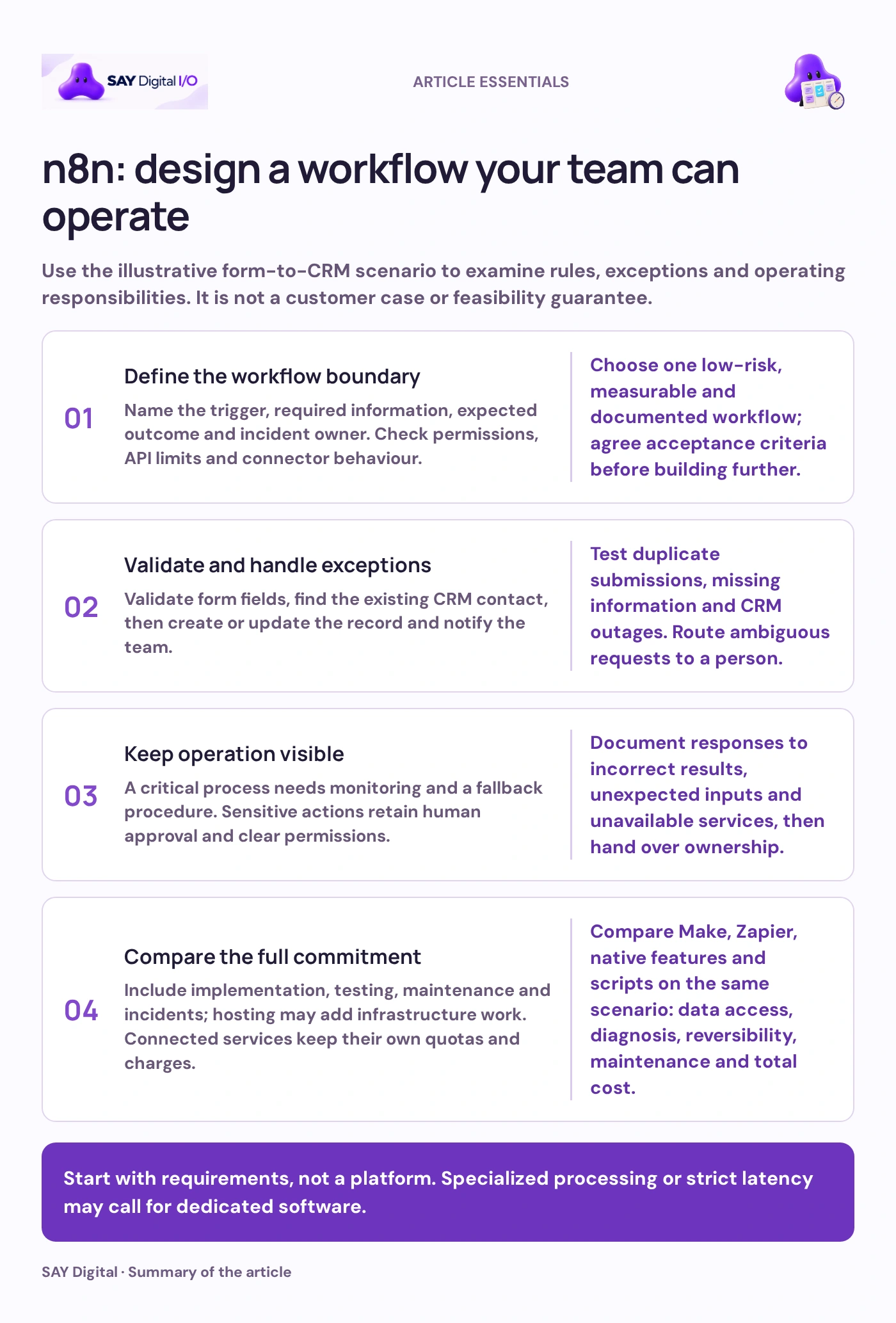
n8n is worth evaluating for operations, sales and technical teams whose processes span several applications. It is particularly useful when someone can document workflows and monitor their operation. A small team without a clear owner should begin with a limited scope. Before building a prototype, identify the trigger, required information, expected outcome and person responsible for handling an incident. Establish what should happen when a connected system is unavailable.
What SAY Digital can deliver
SAY Digital can help map a process, assess its interfaces and build an initial workflow. The scope can include system connections, data transformations, error handling and recovery documentation. Support can also cover testing, access management and handover to internal teams. These services need to be scoped against your applications and constraints. They are not a promise of universal compatibility, automatic savings or a guaranteed operational outcome.
When to choose n8n, and when to avoid it
Consider n8n when you want to visualize a sequence of actions and the applications involved provide usable interfaces. Check API limits, permissions and connector behaviour before committing. Avoid making it an invisible dependency within a critical process without monitoring and a fallback procedure. Highly specialized processing, strict latency requirements or behaviour that is difficult to test visually may justify dedicated software instead. Start with the requirements rather than selecting a platform first.
Illustrative example
A company wants to qualify requests submitted through its website form. A workflow could validate fields, look for an existing CRM contact, create or update a record, then notify the relevant team. Ambiguous requests would be routed for human review. This is an illustrative scenario, not a customer case or a feasibility guarantee. Duplicate submissions, missing information and CRM outages need to be tested before production deployment.
Open the full-size infographic ↗
Costs and dependencies
The budget is broader than access to the tool. Allow for discovery, implementation, testing, maintenance and incident handling. Depending on the deployment approach, hosting and infrastructure operations may also contribute to the total. Connected services retain their own conditions, quotas and potential charges. Check current offers, usage rights and security requirements before committing. No prices are estimated here: a meaningful quotation requires defined volumes, requirements and responsibilities. Include future changes to connected applications in the maintenance discussion.
Alternatives to compare
Compare n8n with Make or Zapier for cross-application automation, and with features already built into your existing software. A script or custom integration may be preferable when the requirement needs precise control. Evaluate each option using the same scenario: data access, error diagnosis, reversibility, maintenance and total cost. The right choice is the approach your team can operate sustainably, not simply the one with the most attractive demonstration.
FAQ
Do we need coding skills?
Not necessarily to get started, but understanding data formats, conditions and APIs becomes useful as workflows become more complex. Assign someone to maintain that understanding.
Can every step run without human review?
Keep human approval for sensitive actions. Define permissions and a response procedure for incorrect results, unexpected inputs or unavailable services. Automation should have clear boundaries.
How do we start without overbuilding?
Choose one measurable, low-risk and well-documented workflow. Test exceptions and agree on acceptance criteria before expanding. Review the outcome with the people who perform the process.
Scope a practical next step
Talk to a SAY Digital expert to examine your process, dependencies and the conditions for an initial deployment.