Crashlytics, Sentry and analytics: what should you track when launching an app?
Everything works on your phone. You open the app, create an account and complete a booking. Then real users arrive. Some leave halfway through; others report a frozen screen. Repeating your own demo will not tell you what happened on their devices.
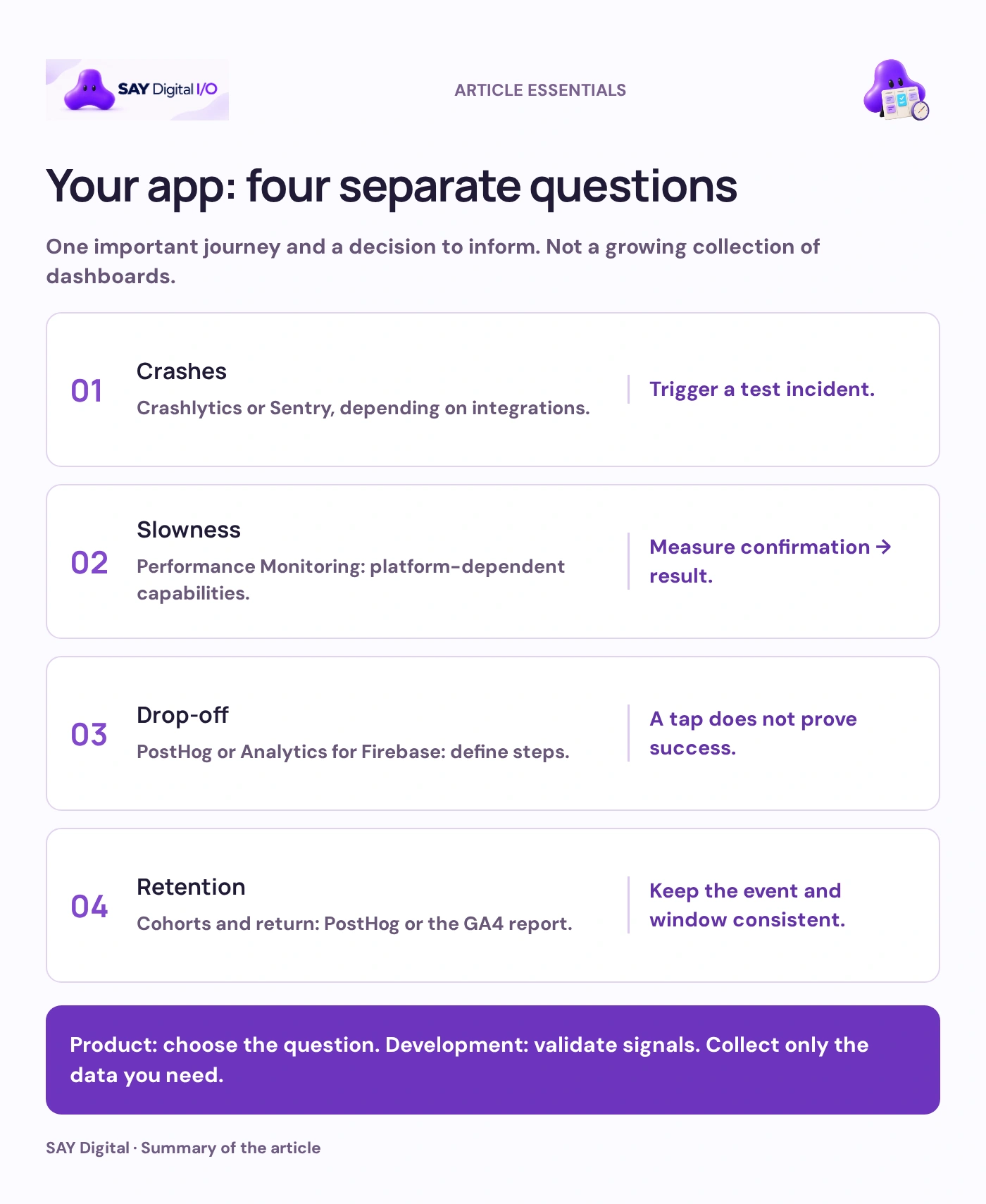
Separate four questions before choosing what to fix: does the app crash, is it slow, where do users drop out, and do they come back? A crash report cannot answer all four.
Short on time? Watch the article essentials.
French audio · English captions. Infographic in English.
Crash reports give developers a place to start
A crash brings the app to an unexpected stop. A frozen screen without a shutdown is not necessarily a crash: an operation might be waiting for a response. Error reporting collects incidents and technical context to help developers locate the cause. A problem affecting several people on a recent release can become visible without waiting for support messages.
Firebase Crashlytics groups crashes and helps teams prioritise them. It is a sensible starting point if your app already uses Firebase. Sentry is another option if your team wants to instrument several parts of the product; check the SDKs available for your languages and frameworks. An SDK is the software component developers add to an app to send this information.
Whichever you choose, ask a developer to trigger a test incident and check that it appears under the correct app release before relying on the dashboard. On iOS, debug symbol files known as dSYMs let Crashlytics produce readable reports. Receiving an incident with an unreadable stack trace makes fixing the code much harder.
An app can keep running and still lose users
In the booking app, someone taps “Confirm”, waits and closes the app. Nothing crashed. The error dashboard may look quiet while the experience remains frustrating.
Firebase Performance Monitoring measures areas such as app startup and network requests, with capabilities varying by platform. Custom measurements can follow a particular operation. For this app, ask for the time from confirmation tap to a displayed result, rather than a general average unrelated to booking.
Compare devices, app versions and network conditions where that information is available. A slow experience affecting one group can disappear inside an overall average.
Open the full-size infographic ↗
A funnel locates drop-off; it does not explain it
To see the journey, record events such as slot selected, confirmation started and booking confirmed. An event is an action or outcome the app reports to your measurement tool. Define each one carefully: tapping a button does not prove that a booking succeeded.
A funnel compares the users who move from one step to the next. PostHog is worth considering when your main question concerns that journey. If your team already uses Google Analytics, Google Analytics for Firebase events offer another starting point. You do not need two analytics tools to measure the same booking flow.
A drop before confirmation could reflect a price objection, unclear wording, a slow response or a missing event. Check the journey against error reports, response times and conversations with users before committing to a redesign.
Retention asks whether people return
A completed booking does not tell you whether that person will use the app again. Retention tracks the return of a defined group of users, or cohort, after a starting point. For a service intended for weekly use, group people who made their first booking in the same week, then look at who books again the following week. Use the same return event and time window when comparing cohorts.
PostHog lets you define a starting event and a return event. The GA4 retention report also provides a view of returning users. Choose a cadence that fits the service: an app needed once a quarter should not have the same expected usage as a daily work tool.
Start with a decision, not a bigger dashboard
For a small team, pick one important journey and a small set of tools: Crashlytics or Sentry for crashes and technical errors, depending on the integrations you configure; performance measurement if waiting times are a concern; and one analytics tool for the journey and return visits. The choice depends on your existing technology and who will actually use the data.
The product owner chooses the journey and the decision it should inform; a developer checks that events and reports arrive correctly. Assign someone to review incidents, drop-off and return visits regularly and decide what happens next. After a fix, compare releases over comparable periods. Fewer crashes do not prove that more people complete a booking, and a better funnel does not prove that they return.
Collect only the information needed for that decision. Keep passwords, payment details and personal free text out of events and reports; review collection settings and the requirements that apply to your situation.
For your next update, ask the team: “In the current release, what happens between choosing a slot and receiving a confirmed booking, and what will we check after the fix?” That gives the team a product question to answer, rather than another set of charts.
SAY Digital can help you scope this work with the team maintaining your app. Let’s discuss your application.