Make for sales and marketing teams: reducing duplicate data entry across your software
Make lets you build visual scenarios connecting applications and processing steps. You can receive an event, validate information, apply conditions and trigger an action in another tool. Typical goals include reducing duplicate data entry and making information flows explicit. A visual scenario is still a system that needs design: connectors do not guarantee data quality or the availability of external services. Start with the business outcome rather than the number of steps you can automate.
Short on time? Watch the article essentials.
French audio · English captions.
Who is it for?
Make is worth evaluating for your sales, marketing or operations teams when a process crosses several applications. You need an identifiable business owner and someone responsible for incidents. Begin with a stable workflow whose inputs and expected outcome are understood. If your team cannot allocate time to investigate failures, restrict the scope instead of immediately building a large collection of unattended scenarios.
What SAY Digital can deliver
SAY Digital can help map your process, check available interfaces and build an appropriate scenario. The scope can include data transformations, testing, alerts and recovery documentation. We can also define permissions, protect secrets and arrange handover to your team. Human approvals should match the action involved: posting an internal notification has different consequences from deleting a record or initiating a payment. Delivery depends on your requirements and the capabilities of the connected systems.
When to choose Make, and when to avoid it
Consider Make when your requirement can be expressed as understandable steps and your applications provide suitable interfaces. Test permissions, API limits and the data actually available. Avoid making it a critical dependency without monitoring, ownership and a fallback procedure. Strict latency requirements, highly specialized logic or security requirements incompatible with the service may point to another architecture. Automation is neither unlimited nor reliable by magic; production readiness requires explicit decisions about failure and recovery.
Illustrative example
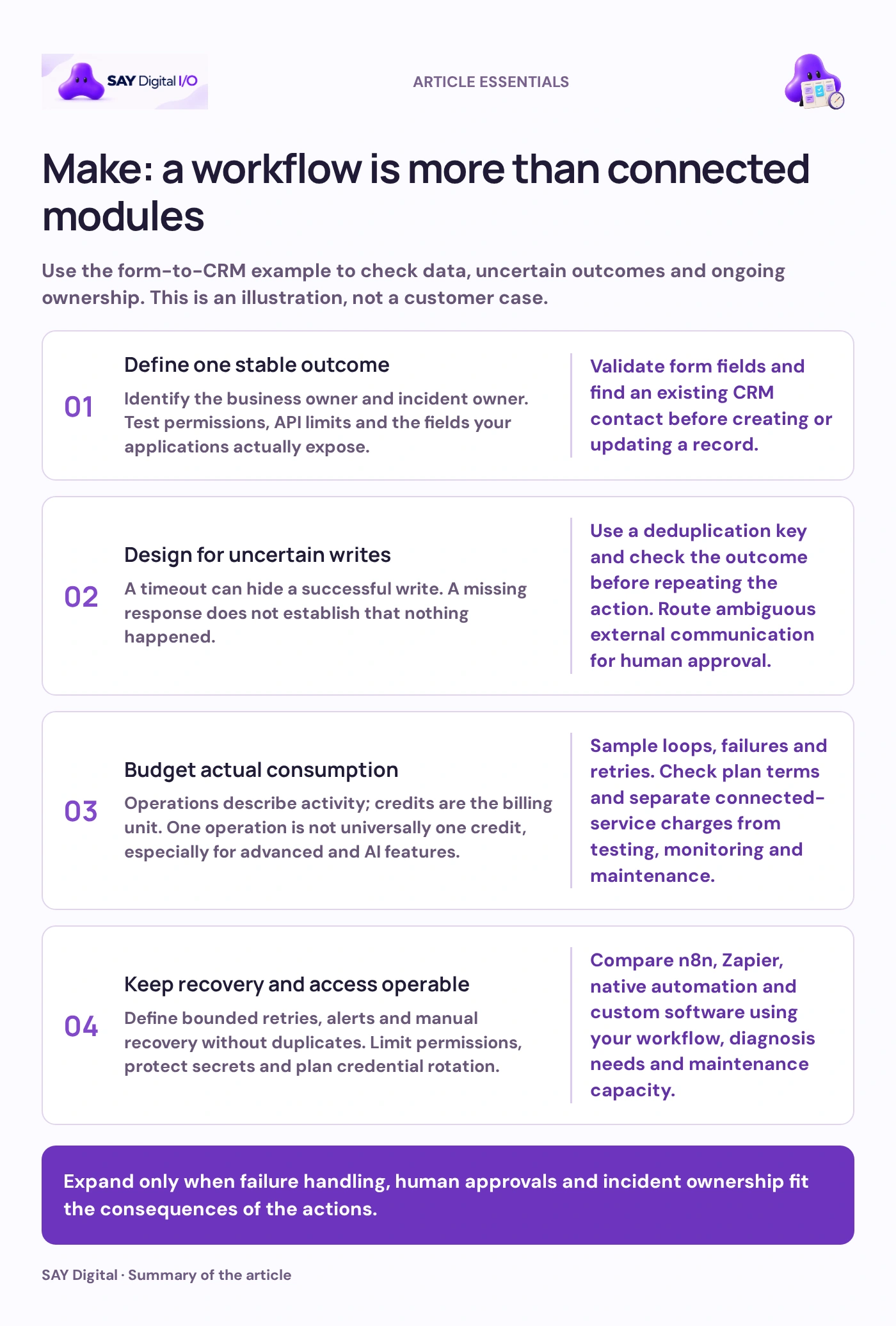
Your website form could feed a scenario that validates fields, looks for an existing CRM contact and then creates or updates the record. Ambiguous requests would require human approval before external communication. This is an illustration, not a customer case. Use a deduplication key and check the outcome before repeating an action after a timeout: a missing response does not necessarily mean the original write failed.
Open the full-size infographic ↗
Costs, credits and maintenance
Make’s documentation distinguishes operations, which describe platform activity, from credits, which are the billing unit. For many modules, one operation consumes one credit, but this is not universal. Some advanced and AI features consume credits differently, including according to tokens, connection type and actual usage. Credit costs and available capabilities depend on your plan; check the applicable terms before committing.
Estimate consumption using a representative sample that includes loops, failures and retries. Connected services may charge separately for their usage. Include discovery, testing, monitoring and maintenance in your budget: API changes, credential renewal and evolving business rules all require attention. Define bounded retries, alerts and a manual recovery procedure. Poorly designed automatic retries can repeat an action or amplify an outage. No prices are assumed here, and a useful estimate requires your volumes and requirements.
Alternatives: n8n, Zapier or custom software
Compare Make with n8n and Zapier using your actual scenario, without treating their billing units as interchangeable. Examine connectors, error diagnosis, deployment options and maintenance effort. A custom integration may fit when you need precise control and have the resources to operate it. Also check your existing software’s native automation features before adding another dependency. Evaluate ongoing ownership as carefully as the initial demonstration.
FAQ
Do you need coding skills?
Not necessarily to begin. Understanding data formats, conditions and APIs remains useful when testing exceptions and maintaining scenarios as requirements change.
How should access be protected?
Limit permissions, keep secrets out of shared fields and logs, and plan credential rotation. Define who can edit or activate scenarios and review those rights.
Can everything run unattended?
No. Match approval requirements to each action’s risk, monitor failures and document recovery without duplicates before expanding your scope. Assign responsibility for responding to alerts.
Scope your first scenario
Talk to a SAY Digital expert to assess your process, workload and the conditions for an initial deployment.