Using Lovable for your project: a guide for entrepreneurs
Your team wants to replace a spreadsheet with a tracking portal. They can describe the screens, but not yet every rule. Lovable lets you build a web application using natural language, with a frontend, backend, database and authentication. You get editable code. The decisive work is still checking what the application actually allows each user to do.
Short on time? Watch the article essentials.
French audio · English captions.
What is Lovable for in a business project?
Lovable can help you explore a user journey, create an internal tool or develop an application for customers. It goes beyond a mockup: its documentation covers building, publishing and operating web applications. For a first project, choose a specific task, such as submitting a request, tracking it and getting it approved.
A business owner can explain the rules and test journeys without writing every line of code. Once data or integrations affect your business, involve someone who can review the code and check access controls. Easier generation does not reduce the publishing team's responsibility.
An example: tracking requests without exposing other customers' data
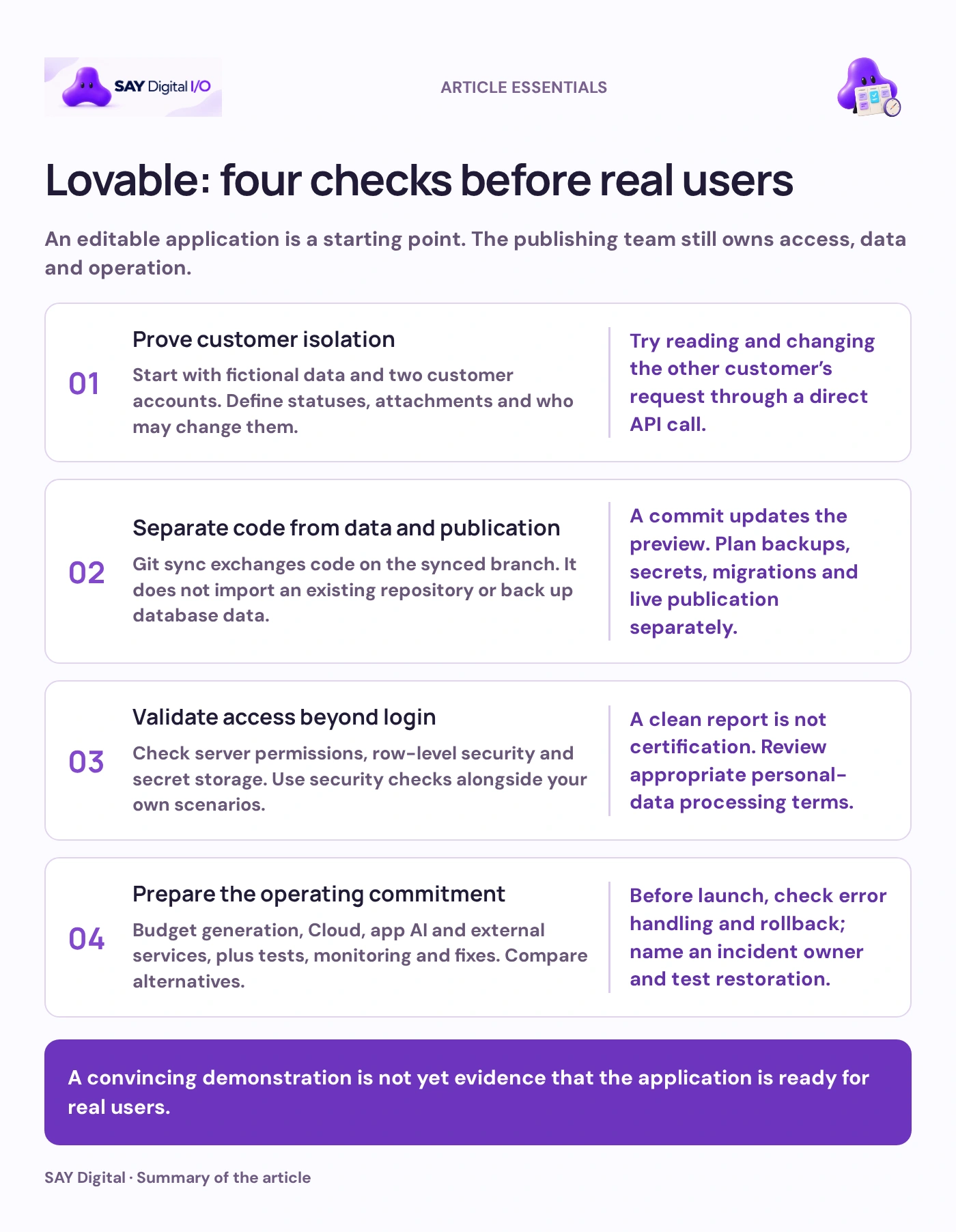
Imagine a portal where a customer submits a request and a staff member replies. Start with fictional data. Describe the allowed statuses, attachments and people who can change a request's state. Then test with two different customer accounts: the second must not be able to read or change the first customer's requests, including through a direct API call.
This is a proposed test, not a claimed client result. It helps distinguish a convincing demonstration from a tool you can put in users' hands.
GitHub and code handover: what sync covers
Git sync connects a Lovable project to a new repository you control on GitHub, GitLab or Bitbucket. It works in both directions on the synced branch: Lovable changes reach the repository, and commits on that branch return to the project. This supports code review and work in your own editor.
The connection does not let you import an existing repository into Lovable. The repository contains code and migration files, not your database's data. A synced commit updates the preview; it does not automatically publish the live application. Plan data backups, secrets, migrations and the publishing procedure separately.
Authentication and security before launch
A successful login is not enough to protect data. Check server-side permissions and database row-level security (RLS) policies. A secret API key belongs on the server, never in code sent to the browser.
Lovable provides security checks covering areas such as database access, dependencies and application code. Use them to identify issues, then test permissions with your own scenarios. A report with no warnings does not certify your application. Before handling personal data, also review the contracts, subprocessors and processing terms appropriate to your situation.
Open the full-size infographic ↗
What costs should you plan for?
Lovable offers Free, Pro, Business and Enterprise plans. The subscription and build credits do not capture the whole budget: distinguish application generation, Cloud usage, the AI features your app runs and the external services it calls. Include time for testing, monitoring and fixes.
Read the subscription terms before choosing a plan. Permissions, administration features and usage conditions differ by plan. To compare two solutions, cost a representative month of use rather than just the advertised subscription.
When should you choose another approach?
Lovable is worth trying when you want to validate a clearly scoped web tool and have someone who understands the business rules. Custom development may fit better if you must integrate with a tightly constrained existing architecture, continue an established repository or meet critical requirements your team cannot demonstrate in the prototype.
For a simple editorial website, a CMS may be easier to hand over. For a standard shop, compare an e-commerce platform first. The right choice also depends on who will maintain the application after launch.
What SAY Digital can take on
SAY Digital can scope the first user journey, define acceptance criteria, prepare the prototype and organize technical review. The scope can include access controls, integrations, code handover and preparation for ongoing operation. These services are defined for each project; they are not an automatic guarantee attached to the tool.
Frequently asked questions
Do I need to code to get started?
You can start by describing the requirement. To publish an application with real data, still plan technical validation and business tests.
Does GitHub also back up my database?
No. Sync preserves code, not data. Arrange backups and test restoration separately.
Can we publish as soon as the screens work?
Check permissions, error handling, backups and the rollback procedure first. Also name the person who will receive incident reports.
Let's discuss your application
Bring a user journey and your access rules. We can decide what a prototype needs to prove before you go further.
Business applications and software · Talk to a SAY Digital expert