Flutter for product teams: evaluating a cross-platform mobile application
Flutter is an open source framework for building application interfaces using Dart. It targets iOS and Android, as well as web and desktop environments. Its appeal is the ability to reuse a substantial portion of application code and visual components across platforms. Sharing code does not mean every behaviour becomes identical: permissions, navigation, accessibility and integrations still require checks tailored to each target environment.
Short on time? Watch the article essentials.
French audio · English captions.
Who is it for?
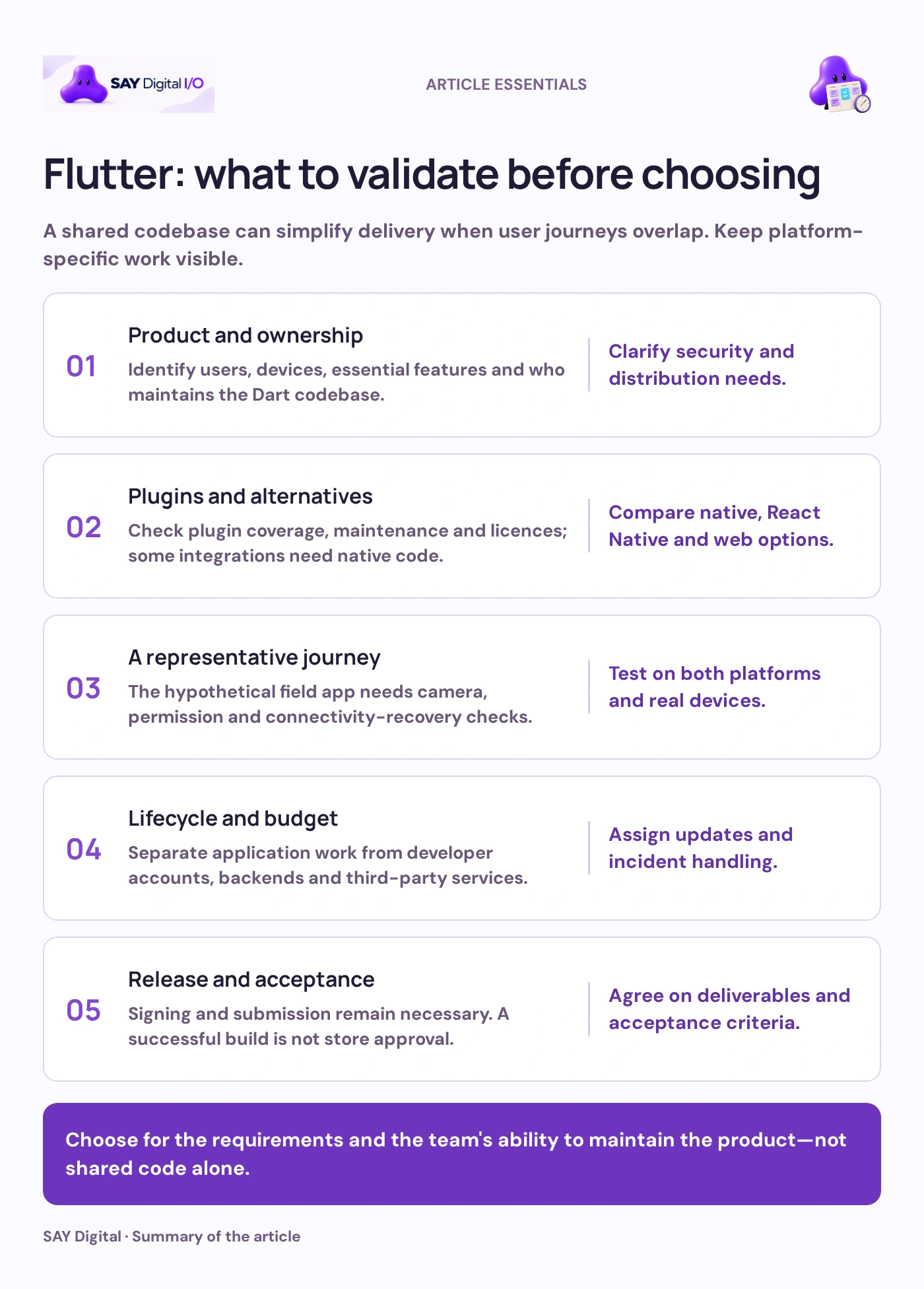
Consider Flutter if your team is planning a multiplatform mobile application, customer portal or internal business tool. It is particularly relevant when you want a consistent experience and can maintain a Dart codebase. Before selecting a framework, identify your users, target devices, essential features and security requirements. An employee application may need a different distribution strategy from a public consumer service. Clarify who will own future changes as well as the initial delivery.
What SAY Digital can deliver
SAY Digital can help define requirements, prototype an experience and develop a Flutter application. The scope can include screens, connections to your APIs, authentication and a testing strategy. You can also plan store submission preparation and maintenance documentation. Commitments should follow an assessment of your constraints. This support does not imply official certification, guaranteed store acceptance or a predetermined business outcome. Agree on deliverables, responsibilities and acceptance criteria before implementation begins.
When to choose Flutter, and when to avoid it
Explore Flutter when several platforms share user journeys and code reuse genuinely simplifies your delivery model. Check required plugins, their maintenance, licences and target platform coverage. Some integrations may require native code. If your product relies heavily on a newly introduced system feature or a deeply platform-specific experience, compare native development. For a straightforward content website, conventional web technology may be more appropriate. Start with the requirement rather than assuming one framework suits every project.
Illustrative example
A company could build an application for field interventions: viewing assignments, adding photographs and synchronizing information with its business system. Flutter could share screens and some application logic between iOS and Android. Camera behaviour, permissions and recovery after connectivity loss would still need testing on each platform. This is a hypothetical example, not a customer case or evidence of achieved results. Its feasibility would depend on the existing systems and detailed requirements.
Open the full-size infographic ↗
Separate costs and responsibilities
Flutter source code is open source, but designing and operating your application is not cost free. Separate development, testing, maintenance and adjustments for operating system changes. Developer accounts and any store fees are another budget category. Your backends, databases, third-party services and hosting have their own costs and conditions. No price is quoted here: a meaningful budget requires an agreed scope and allocation of responsibilities. Include ongoing dependency updates and incident handling in that discussion.
Alternatives to compare
Compare Flutter with React Native, native development using Swift and Kotlin, or a progressive web application. Assess available skills, hardware features, accessibility and the expected maintenance period. Test a representative user journey rather than judging only a polished visual demonstration. The right option meets your requirements and remains maintainable by your team. Consider distribution constraints and integration complexity alongside the amount of shared code.
FAQ
Does one codebase cover iOS and Android?
A shared foundation is possible, but plugins, settings and integrations can differ. Plan testing on both platforms and representative devices rather than assuming identical behaviour.
Does Flutter publish automatically to app stores?
No. Preparing a release does not replace signing, developer accounts, required disclosures or submission. Stores apply their own review procedures; a successful build is not approval.
Are tests still necessary with shared code?
Yes. Combine logic, component and journey tests with checks on your target platforms. Code reuse does not remove operating system differences or the need to verify integrations.
Scope your project
Talk to a SAY Digital expert to examine your requirements, technical dependencies and the conditions for an initial prototype.
Related services
Sources and resources
- flutter/README.md at main · flutter/flutter · GitHub
- website/README.md at main · flutter/website · GitHub
- website/sites/docs/src/content/resources/faq.md at main · flutter/website · GitHub
- website/sites/docs/src/content/deployment/ios.md at main · flutter/website · GitHub
- website/sites/docs/src/content/deployment/android.md at main · flutter/website · GitHub