Figma for product teams and designers: validating interfaces before development
Figma Design is an interface design tool for preparing screens, reusable components and interactive prototypes. Its collaborative canvas brings design work, comments and discussion into shared files. Styles, variables and libraries help teams maintain visual consistency. These deliverables must be distinguished from a finished product: a simulated journey does not establish server reliability, security or the actual accessibility of the eventual website. The tool supports decisions; it does not remove the need for implementation.
Short on time? Watch the article essentials.
French audio · English captions.
Who is it for?
Figma suits product teams, designers, marketing leads and developers who need to discuss an interface before building it. A small business preparing a redesign can compare alternative journeys. An organisation managing multiple interfaces can establish a design system. Value still depends on working practices: without clear decision ownership, maintained components and structured feedback, shared files can become difficult to understand and expensive to keep useful.
What SAY Digital can deliver
SAY Digital can help define requirements, organise screens, create wireframes, develop a visual direction and prepare prototypes. Depending on the agreed scope, deliverables can include a component library, component variants, responsive rules and implementation annotations. Support can also cover journey testing and a review of the implemented interface. Research, copywriting, software development and ongoing maintenance should each be explicitly included or excluded in the proposal, rather than assumed to accompany the design files.
When to choose it, and when to avoid it
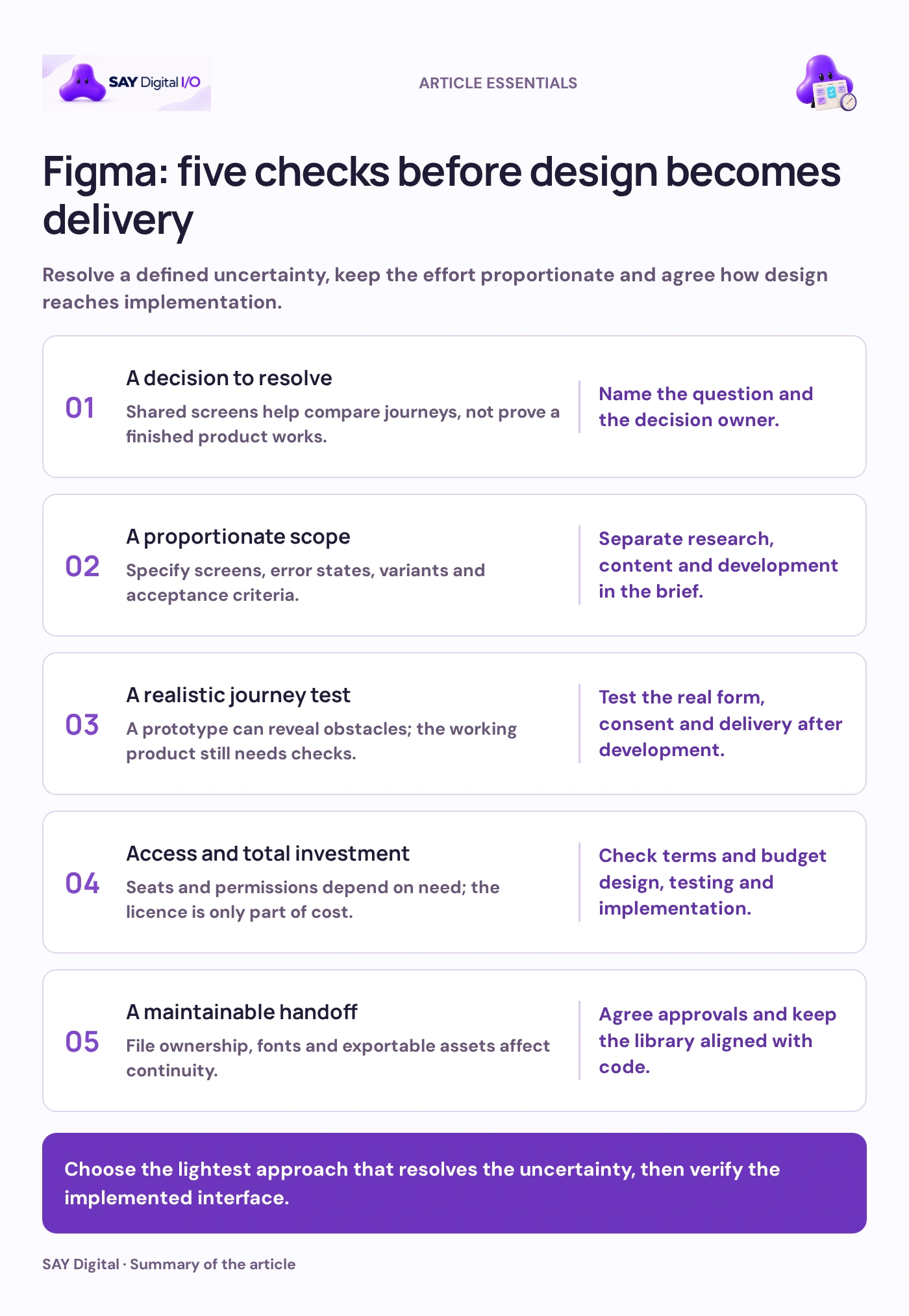
Choose Figma when several people must approve an experience, compare approaches or reuse interface patterns. Specify the required screens, error states and acceptance criteria before investing in extensive visual detail. Avoid a disproportionate design phase for a simple page using an already approved template. If the immediate requirement is publishing content, working directly in the production platform may be more appropriate. The relevant question is which uncertainty the design work will resolve.
An illustrative example, not a promised result
Imagine a business trying to simplify its quotation request journey. The team maps the steps, designs mobile and desktop screens, then links them into a prototype. Participants attempt to select a service and submit a request. Their difficulties inform changes before development. This fictional scenario is not a client case study and reports no measured improvement. The real form still needs validation, consent handling, delivery logic and data protection controls.
Open the full-size infographic ↗
Costs and dependencies
The supplied pricing source describes a free Starter tier and paid plans organised around seat types, including Full, Dev and Collab. Access rights, libraries, advanced capabilities and AI credits depend on the selected plan. Confirm billing conditions and possible extras before committing; a project brief does not require a permanently fixed subscription price. Budget separately for design time, testing, content, implementation and component maintenance, because the software subscription is only one part of the overall investment.
Plan external access, file ownership, font licensing and rules for sensitive information. Plugins can introduce additional dependencies. Document decisions and exportable resources so another team can continue the work later. Dev Mode supports technical handoff, but it does not replace architectural decisions, testing or review of delivered code. Agree who approves changes and how the design library will stay aligned with the implemented interface.
Alternatives and complementary approaches
A paper sketch or lightweight wireframe may be sufficient for early discussions. A coded prototype is more appropriate when the uncertainty concerns a specific technical interaction. WordPress addresses publishing and editorial management, while Shopify supports operating an online store. These are production platforms rather than direct substitutes for Figma. Compare the stages your project actually needs instead of treating every feature list as evidence that an additional tool is necessary.
FAQ
Does a design automatically become a website?
No. Even when a feature generates code, hosting, integrations and final product quality still need verification.
Do we need a subscription immediately?
Not necessarily. Assess Starter first, then check collaboration needs and required permissions before selecting paid seats.
Does a prototype prove accessibility?
It can reveal potential obstacles, but checks on the working product remain essential.
Sources and next step
The official sources below explain capabilities and pricing principles; they do not guarantee project outcomes. Share your objectives, users, constraints and existing screens with SAY Digital to define a proportionate engagement and a clear handoff to implementation.