Elementor for marketing teams: planning WordPress pages that are easy to update
Elementor is a visual website builder for WordPress. It lets you assemble pages using sections, components and presentation settings rather than handcrafting every layout. Shared colours, typography and selected templates can make future changes easier. That flexibility does not replace a clear content structure, mobile testing or accessibility checks. Think of the editor as a production tool within your website project, not as a substitute for planning and quality assurance.
Short on time? Watch the article essentials.
French audio · English captions.
Who is it for?
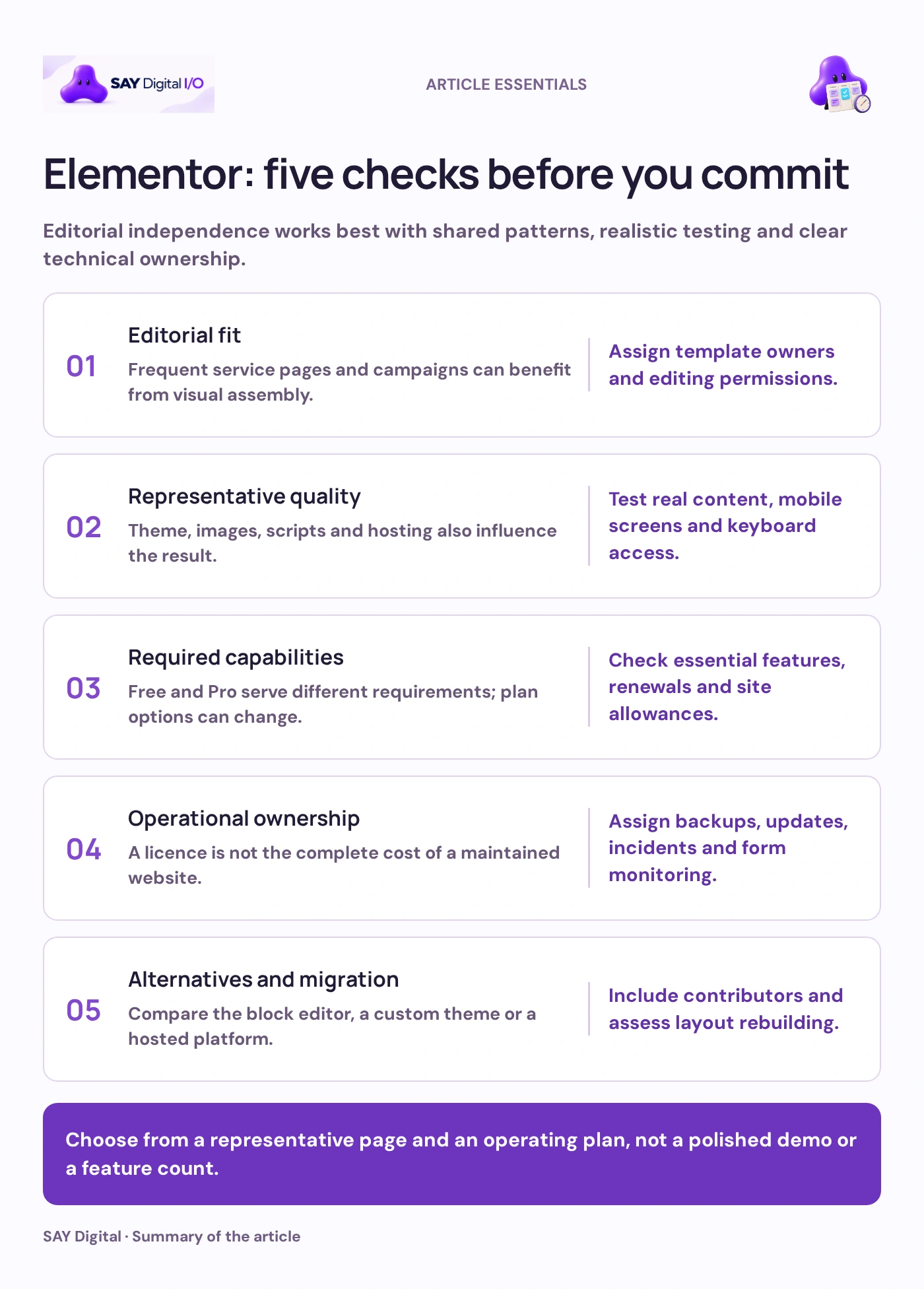
Consider Elementor if your marketing team regularly publishes service pages, campaigns or editorial content. It may suit an organisation that wants to retain WordPress while giving contributors more visual independence. Assign ownership of templates and editing permissions, however. When every contributor creates different components, your website can become inconsistent and harder to maintain. A small, documented set of reusable patterns is often more useful than unlimited design freedom.
What SAY Digital can deliver
SAY Digital can help define your website requirements, organise content, create templates and configure your WordPress environment. Depending on the agreed scope, work can include conversion pages, forms, integrations and team training. Check that the selected subscription supports the features your project requires. Acceptance testing can cover common screen sizes, keyboard navigation, performance and contact journeys. Deliverables and responsibilities should be agreed before implementation, including ownership of ongoing updates.
When to choose it, and when to avoid it
Choose Elementor when editorial independence and efficient page assembly matter, supported by shared design rules. Consider another approach if you need highly specialised interfaces, minimal reliance on plugins or particularly strict technical constraints. Results also depend on your theme, images, scripts and hosting. A visual builder alone cannot guarantee speed, accessibility or search visibility. Test a representative page with realistic content rather than judging suitability from an empty template.
An illustrative example
Imagine a consultancy that needs to explain three services and receive relevant enquiries. You could define a page template, a section library and a shared enquiry form. Your team would then update copy and images without rebuilding every page. Before launch, you would check confirmation messages, notification delivery and mobile presentation. This is an illustration of a possible project, not a client case study or a promise of commercial results.
Open the full-size infographic ↗
Costs: Free, Pro, hosting and maintenance
The free edition lets you assess the editing workflow and straightforward requirements. Elementor Pro adds capabilities whose availability depends on the selected plan; verify the specific options for templates, forms and dynamic content. Offers can change, so check current conditions, renewals and site allowances before committing. Start with a requirements list and distinguish essential capabilities from optional conveniences rather than selecting a subscription because it contains more features.
Your overall budget also includes WordPress hosting, a domain, design work, any additional plugins and maintenance. Distinguish a builder licence from a package that includes hosting, since their scope may differ. Plan for backups, tested updates, security checks and form monitoring. Reducing plugin dependencies and documenting templates can help control future effort, but neither removes the need for technical ownership. Agree who handles incidents and how changes are tested before reaching the live website.
Which alternatives should you compare?
The native WordPress block editor may be enough for a content-focused website. A custom theme may suit stronger technical control requirements. A hosted platform may reduce some operational tasks while introducing different portability constraints. Compare options using a representative page: editing effort, mobile quality, dependencies, content migration and maintenance responsibilities matter more than a polished demonstration. Include the people who will actually update the site in that assessment.
FAQ
Do you need coding skills?
Not for every routine edit. Advanced configuration, integrations or rendering problems can still require technical expertise, so identify an escalation route.
Is Pro essential?
No. List your requirements and check which edition covers them. Avoid paying for a capability that your project does not need.
Can you switch builders later?
Yes, but layouts may need rebuilding. Document your content structure and test the migration implications before applying the same approach across your website.
Discuss your Elementor project with a SAY Digital expert.