
Make one procedure usable by your team and AI agents
“It’s all in the procedure.” Yet your colleague still asks whether the file can move forward, which template to use and who approves this exception. The document exists. What may be missing is something more specific: a rule that applies to this case, an authoritative version and someone who can resolve the uncertainty.
To stop explaining everything again, start by making one procedure usable without its author. It needs to say when it applies, who owns it, which version to use, what evidence to retain and what happens when a case falls outside the rules. Adding a chatbot to an ambiguous document does not answer those questions; it can simply make the ambiguity easier to rephrase.
Find out what your explanations add to the document
When a question keeps returning, do not immediately assume the team has not read the instructions. Listen to the experienced colleague’s answer: “that template, except for this customer”, “not before the manager approves it”, “that screenshot shows the old interface”. Those qualifications reveal missing rules, or a habit that needs correcting. Have them approved before treating them as authoritative.
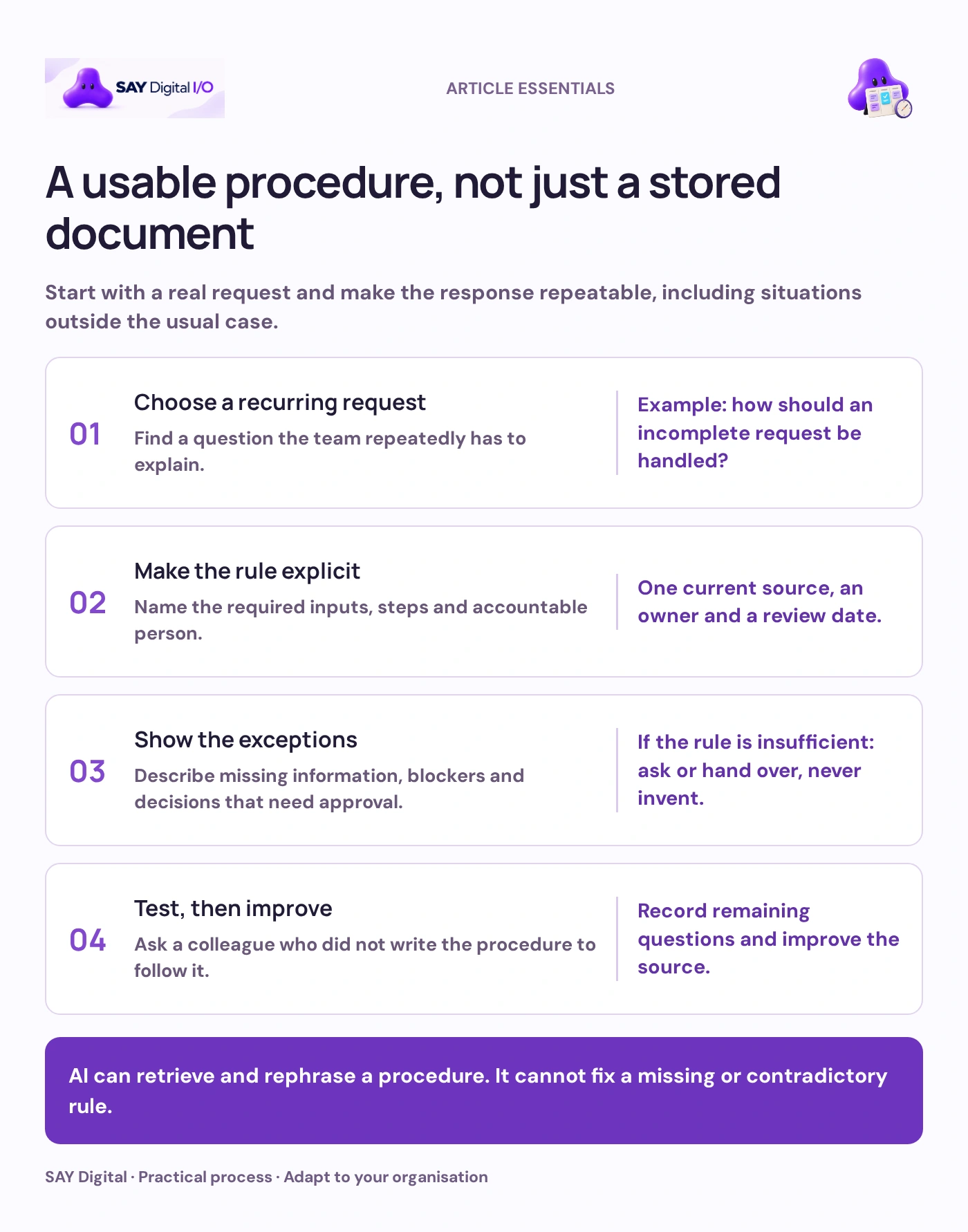
Choose recurring work with a visible endpoint: handing over a complete project file, checking a product listing or preparing a purchase request. Avoid starting with “document the sales department”. You would struggle to say where the work ends or whether someone can take it over using the documentation.
Replay a recent case with its author. Ask why they chose that document, ignored that alert or called that manager. Take notes or use an authorised recording without exposing unnecessary information. You want the rule behind the action, not a recording of every click.
The information people need to work without guessing
A procedure can live in your existing tool. What matters is bringing together the information required to do the work and check its outcome.
- Purpose and trigger: what starts the work, which cases it covers and what is outside its scope.
- Owner: who approves the business rule, answers questions and acts as the owner’s deputy.
- Version and validity: which version is approved, when it takes effect and which earlier version it replaces.
- Inputs and steps: which documents are required, the order of checks and the conditions for moving on.
- Completion evidence: which document or status demonstrates that the work is finished and where its supporting records can be found.
- Exceptions: when to stop, who receives the case and who can authorise a departure from the rule.
The owner is not necessarily the person who wrote the file. It is the person accountable for its business content. Without that role, corrections remain in messages and everyone ends up keeping their own version.
Example: hand a sold project from sales to delivery
The following is a fictional example to adapt. The original procedure says: “Once the customer agrees, create the project and hand the information to delivery.” It expresses an intention but leaves the salesperson to make the decisions behind the next questions: what counts as agreement, which documents belong in the file and can a start date be booked?
A procedure the next colleague can follow
The proposed record is called “Sales-to-delivery handover”. Its owner is the operations manager, with a named deputy. The approved version states its effective date, reference location and the version it replaces. These are fields for your team to complete, not approvals that have already happened.
The trigger is receipt of the written agreement required by your commercial rules. Inputs are the accepted quotation, agreed scope, necessary contact details and any special commitments. The person handling the case checks the customer’s identity and that the agreement matches the proposal. They distinguish a requested date from one confirmed by delivery.
The expected output is a handover record linked to the supporting documents: agreed service, exclusions, contact, missing information and owner of the next step. A “ready for project review” status does not mean “delivery started” or “date promised”. The project manager accepts the handover or states what is missing.
An exception does not change the general rule
The customer asks to start before all the documents have arrived. The procedure must not encourage the salesperson to mark an incomplete file as complete. It provides a waiting status and a request for a decision: which documents are missing, what would starting mean and who can authorise it?
An exception entry might read: “Start authorised by the operations manager for this case; internal preparation only, no delivery; specifications still outstanding; review again when received.” Link the approval and its reason to that case. The exception ends on the agreed conditions and authorises no other project. If the same obstacle keeps appearing, the owner reviews the rule.
The decisive test: can someone else finish the work?
Give the procedure to a colleague who did not write it, using an authorised case. Ask them to prepare the handover without turning to the author at every step. Record exactly where they hesitate and what they need to make a decision.
Then test a missing quotation, two conflicting versions and a request for an early start. A useful procedure does more than help someone complete the easy case: it helps them recognise what prevents completion. The correct output may be “awaiting a decision”, with the responsible person and required documents identified.
Keep the questions, corrections and test results with the procedure. Observe search and checking time as well. You can compare handovers before and after the correction without assuming that a shorter or more frequently opened document automatically produces a gain.
What AI can do with this procedure
An assistant can retrieve the applicable procedure, explain a step and prepare a missing-document checklist. An AI Worker can also check a case or prepare its handover record. Both should use the approved version and show the relevant references. An AI-generated summary does not inherit the authority of the source it summarises.
Reading the instruction “create the project” does not automatically authorise an agent to update your system. Separate consultation, preparation, creation and notification. OWASP’s guidance on excessive permissions and autonomy highlights limiting functionality and requiring approval for high-impact actions. An attachment cannot grant the system new permissions.
If you later need to connect several procedures, decisions and customer records, our French-language Company Brain guide covers that wider architecture. Here, your first outcome remains narrower and easier to check: a handover that no longer depends on someone repeating the explanation.
Who fixes the procedure after the next problem?
Explore this article with an AI assistant. Copy its full text first if the protected link is inaccessible.