



Turn your website into a working tool
Turn your website into a working tool
Someone fills in your website form to request a quote. Your team receives “Hello, could you call me?” without knowing which service they need, their timescale or who should respond. The website has captured a contact, but the work still has to be reconstructed.
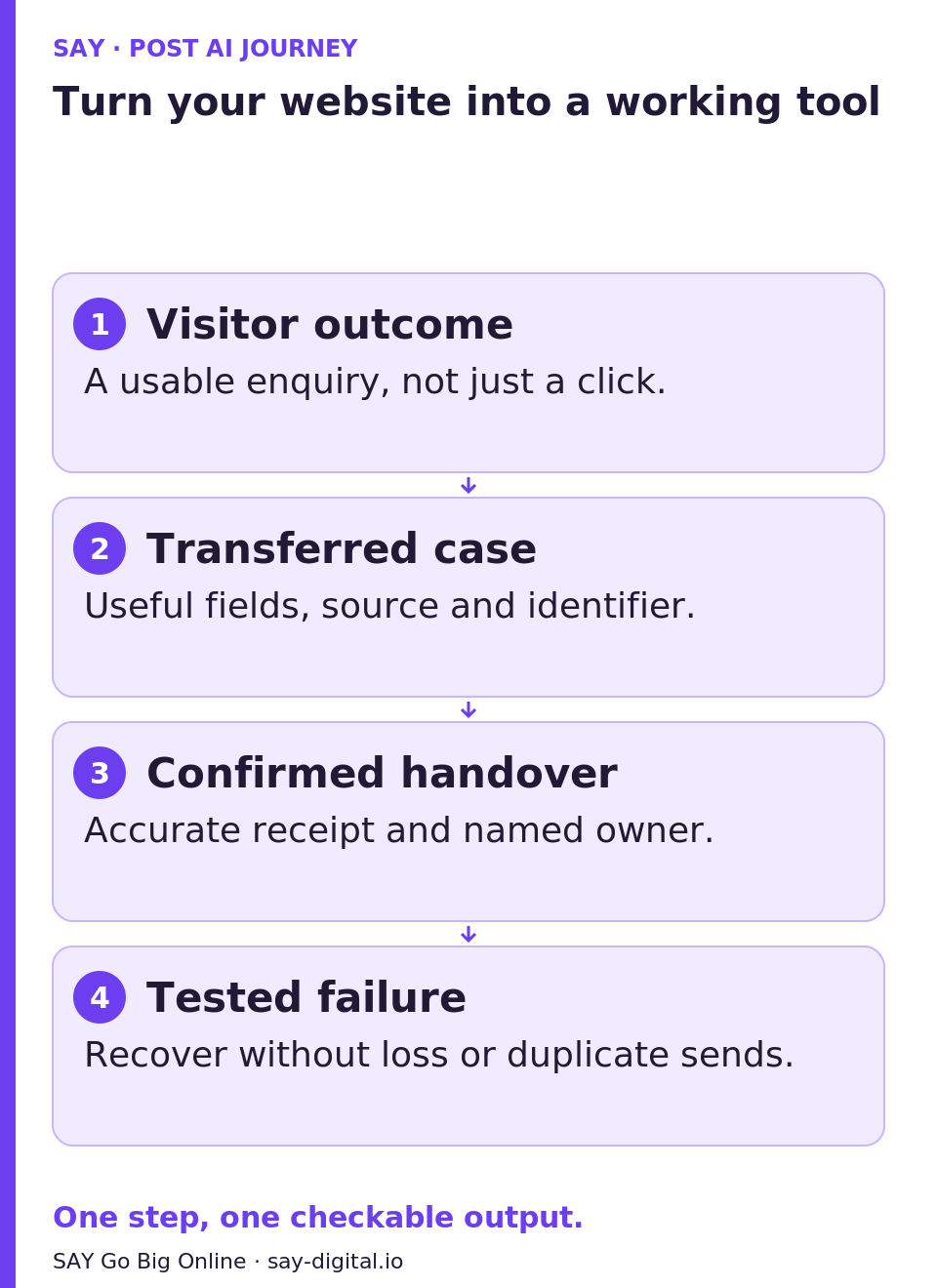
Turning your website into a working tool means connecting an enquiry to a usable case, then to a person who can take the next step. This guide helps you design and test that journey for one type of request. The intended result is not another chatbot: it is a handover whose receipt, boundaries and failure recovery you can check.
No time to read? Get the essentials in video. — Audio in French; on-screen text in French.
1. Define what the visitor should receive
Choose a recurring situation: requesting an estimate, reporting a fault or preparing a meeting. Ask the person currently handling these requests which information is usually missing and what decision they could make on receipt. Start with one service and one receiving team.
Write an outcome statement: “The visitor supplies the information needed to assess their request and understands what happens next.” Distinguish this from a commercial commitment. Submitting an enquiry does not mean receiving a quote, booking an appointment or having an order accepted. Our existing article on the website as an interface to a wider working system explains the connection between pages, forms and follow-up. Here, you will test a small part of that system.
2. Collect only what supports the next decision
In an illustrative maintenance business, the receiving team needs the equipment type, a description of the fault, the service area and a way to respond. Ask for these details in plain language, with an “I don’t know” option. A photograph might be optional; a full contract should not be required if a few references are enough to route the request.
- For every field, write down which decision it supports. Remove fields with no immediate purpose.
- Specify what is required, what can wait and which confidential details visitors should not submit.
- Explain the collection purpose, recipients and applicable data retention and protection rules.
- Ask a colleague unfamiliar with the process to complete the form on a phone, then explain what they think they have obtained.
The result is a short form with a handling rule, not an exhaustive data collection exercise. When someone chooses “I don’t know”, the correct next step may be a human clarification rather than an invented classification.
3. Create an identifiable case before acknowledging receipt
Decide which destination is the system of record: a case-management tool, CRM or protected register. Each request needs a stable identifier, submission time, source page, supplied information and current status. An email notification alerts someone; it should not be your only evidence that a case exists.
Prepare a handover record: Identifier — original request — structured fields — missing information — owner — status — next action. Keep the original text separate from any summary. An AI Worker can propose that summary and flag a missing item within an authorised scope; it must not invent urgency, a price or commercial approval.
The case identifier is not proof of the requester’s identity. Entering an email address does not establish ownership of the corresponding customer account. Before displaying account history, a contract or a private attachment, require appropriate authentication and check permissions. Knowing a case number alone must not unlock a confidential record.
4. Confirm only what the system has actually done
Review the on-screen message and acknowledgement email together. If the case has been saved, you can say “Your request has been recorded under reference…”. If only a notification has been sent, do not announce that a technician has been assigned. Display a response deadline only when it reflects an approved commitment the team can meet.
Name a queue owner and a backup. The recipient must see the original request, missing details and expected next action: clarify the model, check service compatibility or call the visitor. For a commitment, price or intervention, explicitly identify the person who decides. Human handover does not mean sending “an alert somewhere”.
In the maintenance example, an acceptable outcome would be: a case exists, the service area is recorded, someone can request the missing model and the visitor understands that an intervention is not yet confirmed.
5. Test failures and repeated submissions
In a test environment with fictional data, interrupt the connection after submission, press the button twice and simulate an unavailable CRM. The browser may miss a confirmation even though the server has already saved the request. Retrying must therefore not automatically create another case or trigger two messages.
Ask the technical team for idempotent handling: replaying the same attempt retrieves its result instead of repeating the action. Distinguish that from a genuinely new request from the same customer. Define explicit statuses, a visible failure queue and recovery by the owner after checking what happened. Do not blindly resend an action whose outcome is unknown.
For each test, record the action, expected outcome, actual outcome, case reference, notification and required correction. If saving fails, show an accurate message and an approved alternative contact route, without exposing technical internals. The AI Worker remains optional: case storage and recovery must still work when its summary is unavailable.
6. Run the handover exercise before expanding
Your exercise: prepare one complete enquiry, one unclear enquiry and one interrupted submission. Ask the person who actually handles cases to process them without an additional verbal briefing. Have them identify the need, missing information, next action and what the visitor has already been told.
The journey passes this first check when each request can be found, the same attempt does not create duplicates and the recipient can act without reconstructing the story. Otherwise, fix the field, message or handover responsible before adding another service. Later, observe enquiries received, usable enquiries and commercial follow-up separately; more submissions alone do not establish improvement.
Bring your record and test cases to talk with a SAY expert about the first journey to connect to your tools. SAY Go Big Online means giving your website a specific role in the work while keeping commitments under your team’s control.