


Why connect your AI agent to HubSpot for sales follow-up?
Why connect your AI agent to HubSpot for sales follow-up?
HubSpot for SME founders and sales directors: prepare meetings and give every opportunity a next step
Your salesperson picks up an opportunity before a meeting. In HubSpot, an open deal sits alongside a note about timing and a logged email mentioning internal approval. Someone still needs to establish what was promised, separate decisions from assumptions and choose the right question to ask. The CRM holds pieces of the story; your team has to put them together.
If prospecting starts in Lemlist, see how to prepare outreach and interpret replies in Lemlist. HubSpot then resumes the opportunity from what has actually been recorded in the CRM.
Connecting your AI agent to HubSpot can give it that preparation work: summarise accessible history, prepare the meeting, suggest useful CRM updates and propose the next action. The point is not to generate more follow-ups. It is to help your salesperson resume a conversation without overlooking what matters, with the supporting sources in view.
A CRM connection provides context your agent should not have to guess
An assistant given your description of an opportunity works from that description. A connected agent can consult the data its integration exposes: contact records, deals, their properties and associated activities. HubSpot documents reading and updating contacts and deals, as well as retrieving notes. Record associations identify the recorded relationships between a contact, a company and an opportunity.
That context is limited to what is actually logged, associated and accessible. An unrecorded phone conversation does not become available just because the agent is connected. A note attached to the wrong record can send its analysis in the wrong direction. If one contact has several deals, the agent must identify the opportunity you are preparing, not merge their histories.
The same distinction applies to email. The email activities API documents logging and managing emails on CRM records. It is neither universal access to your salespeople’s private mailboxes nor evidence that a logged message was sent through that API. Your agent should state what it consulted and what information is missing.
Before the meeting, turn available records into useful questions
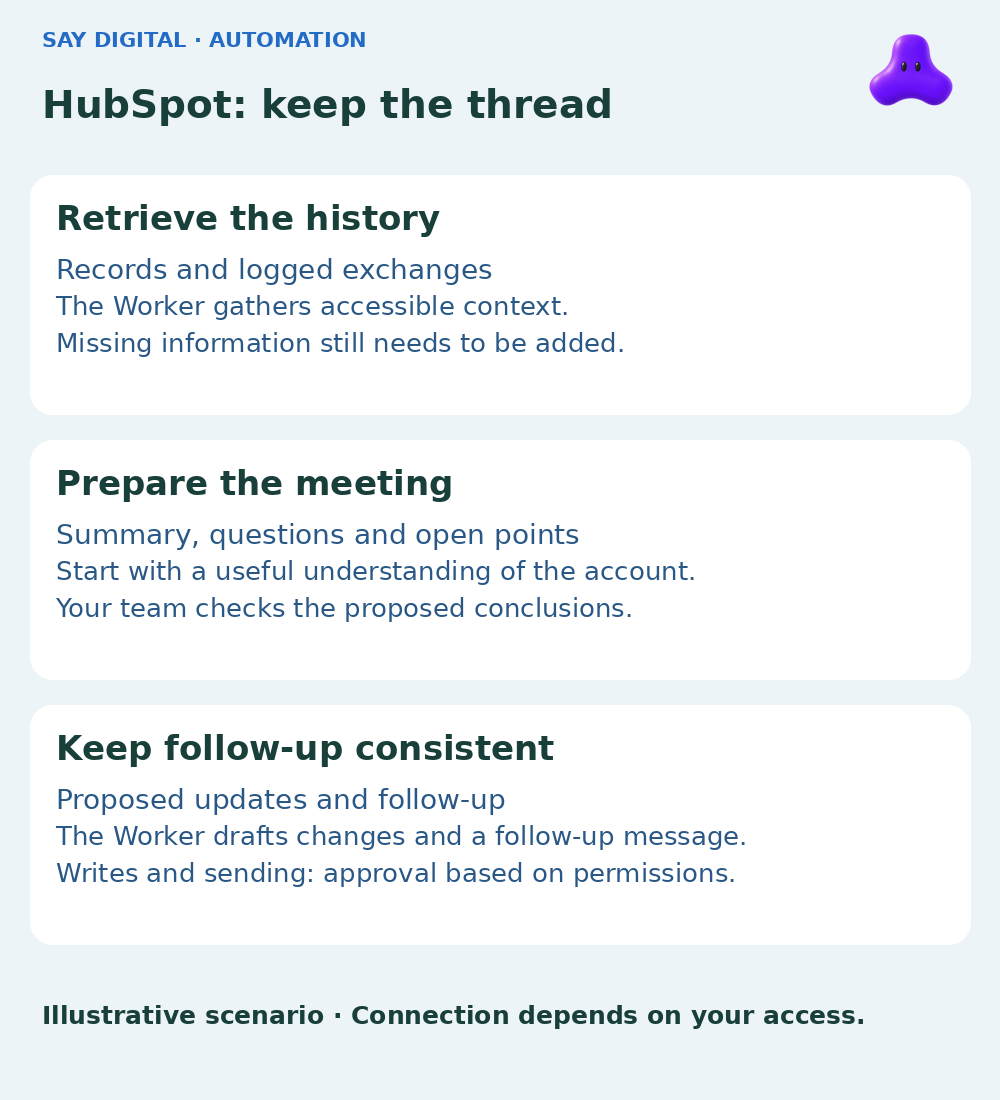
A first deliverable could be a short meeting brief. Ask your sales AI Worker to start from an identified deal and return relevant facts, unresolved questions and a suggested agenda. Each important claim links to the supporting note or activity, with its date. Your salesperson can check a sentence without rereading the whole record.
Consider a hypothetical situation: a note says the prospect wants to reduce duplicate data entry; a logged email requests a discussion with their operations lead; no accessible information confirms the budget. A useful brief retains the expressed need, suggests clarifying who participates in the decision and marks the budget as unconfirmed. It does not turn a meeting request into a confirmed buying intention.
The meeting can then open with a specific question: “You mentioned entering the same data across your tools. Which handover costs you the most time today?” Your salesperson receives a grounded line of conversation rather than a script to recite. If the latest exchange is not in HubSpot, they add that context before relying on the summary.
After the conversation, propose an update rather than rewrite the record
Preparation loses its value if new commitments remain in a notebook. From meeting notes you provide, the agent can propose a CRM note, fields to review and a next action. Your salesperson decides what should actually be recorded. For each next action, the output specifies who takes over, by when and what response is needed from the prospect.
In our example, the supplied meeting notes confirm that the operations lead will join the next discussion, but the budget still needs approval. The agent can suggest a factual note and an action: prepare a demonstration focused on duplicate data entry, for a date to confirm with the prospect. It has no basis for increasing the deal value or marking it as won. Missing information should remain visible.
For each suggested change, show the relevant record, the current value, the proposed value and the source passage. Changing a field is not equivalent to writing a summary: it can affect reporting and, depending on your configuration, trigger workflows. You should be able to approve a note without approving every change suggested alongside it.
Read, propose, modify and send are four different decisions
A connection provides technical capability; it does not delegate every sales decision. HubSpot scopes control access to specific data and operations. The functions your connector actually exposes and your subscription’s capabilities need checking when you define the assignment.
- Read: consult authorised records and activities to prepare the opportunity, without changing them.
- Propose: present a summary, draft or list of changes to your team without saving them to HubSpot.
- Modify: create a note or change a field after approval of that specific action on the correct record.
- Send: contact the prospect only through an appropriate channel with suitable permissions, after approval of the recipient, wording and timing.
Creating a CRM email activity is not a substitute for a sending mechanism. A first assignment can remain read-and-propose only: your team receives prepared work without giving the agent permission to change the pipeline or contact anyone. If you later authorise writes, also check which automations those changes could trigger.
Start with an opportunity your team already knows
Choose a few representative opportunities, including one with an incomplete history. Request a meeting brief and a proposed update for each. Your salesperson compares the outputs with the source activities: was a commitment overlooked? Is an assumption presented as a fact? Does the next action have an owner and a realistic deadline?
Also test what happens when data changes between a proposal and its approval. Before any authorised write, the process should reread the relevant record, flag differences and avoid creating the same note twice if an operation is retried. If a source is inaccessible, the agent should say so rather than fill in the story. The aim is to check the work’s reliability before expanding access.
You can track the time needed to check a meeting brief, corrections required and proposals your team actually accepts. Those observations help you decide whether the assignment is useful; they do not guarantee revenue gains or better conversion. If your data is already well structured and a simple rule can create a reminder, conventional automation may be more appropriate than an agent.
French synthetic audio and French on-screen text. English subtitles are enabled.
French synthetic audio and French on-screen text. English subtitles are enabled.
Scope your HubSpot AI Worker with SAY Digital
A salesperson who can find the expressed need, the unresolved issue and the commitment to honour can pick up an opportunity without starting again. That is the continuity your agent can prepare from the data held in HubSpot.
SAY Digital’s AI and workflow automation offer covers strategy, development and integrating AI models with your data and business applications. For HubSpot follow-up, start with a specific assignment: prepare a meeting from an identified deal, then submit the proposed note and next actions to your salesperson.
Bring a representative opportunity, your follow-up process and anonymised examples of useful activities. With SAY, you can scope the data to consult, the expected output and the approvals to retain. The first useful result to ask for is simple: a meeting brief your salesperson can check and use, before considering more autonomy.